
December 4, 2025
- AI Technology
- Interior Design
- Home Renovation
How Homeowners Can Use AI Interior Design Tools to Plan Renovations with Confidence
Hemanth Velury
CEO & Co-FounderIntroduction
AI interior design tools are turning home renovations from stressful guesswork into a more confident, visual, and affordable process for everyday homeowners. Tools like Foursite from VirtualSpaces let you turn basic floor plans into photorealistic 3D interiors in minutes, experiment with layouts and styles, and make informed decisions before you spend on materials, furniture, or contractors.
Why Renovations Feel So Risky for Homeowners
Renovations are expensive and disruptive, and most homeowners are asked to make big decisions based on flat drawings, catalog images, or imagination. When you cannot "see" the final space, it is easy to choose the wrong layout, furniture size, or finishes, leading to costly rework and disappointment. Even simple changes like shifting a wall, opening a kitchen, or adding storage can feel risky when all you have is a 2D plan and a contractor's verbal description.
The Cost of Getting Design Decisions Wrong
Emotionally, this uncertainty creates fear: what if the room feels smaller than expected, the colors clash, or the new kitchen layout is awkward to use every day? Many homeowners delay projects or overspend on last-minute fixes because they never had a clear, shared picture of the outcome at the start. A poorly planned renovation can lead to thousands in wasted materials, unnecessary rework, and project delays that extend timelines and strain budgets. When furniture arrives and does not fit, walls need to be repositioned, or color schemes clash with existing elements, rectifying these mistakes can easily add 20–30% to renovation costs.
Common Renovation Fears: "What If I Don't Like It?"
The psychological burden of renovation decisions is significant. Choosing paint colors, flooring materials, and furniture sizes based solely on samples or photos creates anxiety because scale, lighting, and context are missing. Many homeowners have experienced buyer's remorse after a renovation: Investing thousands only to realize the open-plan kitchen feels too exposed, the accent wall is overwhelming, or the tile color is darker than imagined in real life. Without visual proof, you are essentially making a leap of faith. AI-driven visualization solves that by letting you preview spaces in detail before you commit, removing uncertainty and replacing it with confidence.
What AI Interior Design Tools Actually Do
Modern AI interior design tools take simple inputs, like a scanned floor plan or a room photo, and automatically generate realistic 3D interiors. Foursite, for example, lets you upload a JPG or PNG floor plan; its AI reads walls, doors, windows, and room boundaries, builds a 3D shell, and then furnishes and lights it to create a complete design in a few clicks.
From 2D Floor Plans to 3D Rooms in Minutes
Traditional 3D rendering requires days of manual work: modeling walls, placing furniture, applying materials, adjusting lighting, and rendering final images. AI interior design tools compress this workflow from days to minutes. You upload a floor plan, select a room and style, and within moments, you receive photorealistic interiors ready for review. This speed is transformative because homeowners can now explore dozens of design directions in an afternoon, rather than waiting weeks for a single set of renders from a designer.
The time savings extend beyond initial concept generation. If you want to test a different layout or color scheme, regenerating variations takes seconds instead of hours. This rapid iteration encourages experimentation - you become bolder about testing unconventional ideas because there is no penalty for changing your mind.
How Tools Like Foursite Work Behind the Scenes (In Simple Terms)
Behind the scenes, systems like Foursite use computer vision and semantic understanding to identify room types, understand spatial relationships, and apply suitable layouts and materials. Instead of you manually modeling every wall and object, the tool automates the heavy lifting, so homeowners can focus on choices that matter i.e. which layout feels better, which style reflects their taste, and what works within budget.
The AI starts by reading your floor plan and recognizing walls as solid barriers, doors as entry points, and windows as natural light sources. It then understands the room's function - is it a bedroom, kitchen, or living room? and applies contextual knowledge about typical layouts for that space. Finally, it places furniture scaled to real dimensions, applies lighting that simulates daytime and evening conditions, and renders textures and colors that look photorealistic. All of this happens without any technical input from you; the AI infers appropriate decisions based on design principles and best practices.
How Homeowners Can Use AI Tools to Plan Renovations
Explore Layouts Before Touching a Single Wall
One of the most powerful uses is layout exploration. By loading a floor plan into a tool like Foursite, you can quickly test multiple configurations: open versus semi-open kitchens, different sofa orientations, bed placements, or workspace corners, all inside a realistic 3D environment. Because the model respects actual room dimensions, you see whether circulation feels cramped, furniture blocks pathways, or a door swing causes problems long before any demolition starts.
This is especially helpful in small apartments or awkward floor plans, where every centimeter matters. Instead of relying on guesswork or rough sketches, you can walk through different layouts virtually and choose the one that balances function and comfort for your daily routine. For example, you might discover that an L-shaped kitchen arrangement feels more efficient than a galley layout when viewed in 3D, even if sketches suggested otherwise. Or you might realize that a queen-sized bed plus two nightstands leave barely a meter of walking space -- an insight that would have meant costly redesign post-construction without AI.
Test Styles, Colors, and Materials Visually
AI tools also let you try different aesthetics with minimal effort. Foursite supports curated styles and lets users change wall colors, flooring types, and overall mood to see how different combinations affect the space. You can compare a warm, cozy living room against a clean, minimalist version, or test whether a bold accent wall works with your furniture choices all without buying a single paint bucket.
Because the renders are photorealistic, they provide a far better sense of how light, materials, and textures behave together than flat mood-boards or catalog pages or worse still, swatches! This reduces the risk of expensive regret purchases, like a dark floor that makes the room feel smaller or a glossy finish that reflects too much light. Seeing a cappuccino-colored sofa in your actual room lighting, including how evening overhead lights reflect off it, gives you confidence that was impossible from a showroom visit or an online photo.
Plan Phased Renovations Room by Room
Many homeowners cannot renovate everything at once but still want a cohesive home. AI design tools help by letting you visualize a full-home direction and then tackle rooms in phases. You can use Foursite to define an overall style, then work through the living room, kitchen, and bedrooms one by one, ensuring colors and materials remain consistent even if construction happens months apart.
Because designs are saved digitally, you can revisit or adjust them as budgets and priorities change, rather than starting from scratch with every new contractor or vendor. This long-term continuity gives homeowners more control, especially across multi-year renovation plans. You might renovate the living room now, realize you love the color palette, and apply it confidently to the bedroom six months later.
How AI Reduces Renovation Stress and Guesswork
Seeing the Space Before You Spend
The biggest benefit is clarity. Instead of trying to "picture" the outcome in your head, you see your own rooms rendered accurately, complete with furniture, lighting, and finishes. This makes it easier to commit to decisions like knocking down a wall, moving a doorway, or investing in custom cabinetry, because you've already experienced the impact in 3D.
Walking through a photorealistic 3D walkthrough of your future kitchen, where you can see the countertop height, cabinet colors, and appliance placement, is incomparably more reassuring than approving a 2D drawing or a verbal description. This psychological shift from abstract to concrete is the single most important reason homeowners feel confident after using AI visualization.
Catching Functional Problems Early
3D views also reveal functional problems that 2D plans hide - tight corridors, awkward corners, or wasted dead space. By catching these issues early, you can tweak the design before any work begins, avoiding mid-construction changes that inflate costs and timelines. For instance, you might notice in a 3D render that two doorways on opposite walls create an unusable corner, or that a proposed peninsula blocks the primary workflow in the kitchen.
These discoveries are invaluable because they prevent expensive course corrections during construction. A mid-project rework, whether structural, electrical, or material, can cost 10–15% extra and add weeks to your timeline. Finding issues in the 3D preview, when they are just a digital edit away, saves real money and stress.
Sharing Clear Visuals with Contractors and Family
Equally important, AI visuals create a shared language with family members and contractors. When everyone is looking at the same realistic images or interactive walkthrough, there is less room for misinterpretation or miscommunication. A contractor who has built hundreds of kitchens might interpret a floor plan differently than you intend, but a photorealistic 3D render leaves no ambiguity.
Family alignment is also critical. If a spouse envisions a different aesthetic or layout, AI tools let you generate both options side-by-side and discuss them using the same visual reference. This prevents the common scenario where one partner approves a design during the planning phase, only to feel surprised or disappointed when construction reveals something different.
Why AI Interior Design Can Be More Affordable
Comparing AI Tools vs Hiring a Designer for Visualizations Only
Hiring an interior designer or architect for a full-service engagement is valuable but can be expensive, especially if all you want initially is to see options and gain confidence about direction. AI tools offer a more accessible entry point: for a relatively low subscription or project cost, you can generate multiple visual concepts, experiment freely, and only bring in professionals once you have clarity.
This does not replace professional expertise: Especially for structural changes, technical detailing, or procurement, but it can dramatically reduce the amount of paid time you spend in the early "what if" phase. For many homeowners, that means more of the budget goes into actual materials and craftsmanship rather than endless rounds of manual concept renders.
Saving Money on Rework and Wrong Purchases
On top of that, visualizing upfront prevents expensive mistakes like ordering the wrong size furniture, choosing tiles that clash when installed at scale, or discovering late that a configuration feels cramped. Even a handful of avoided errors can more than pay back the cost of using AI tools.
Consider a concrete example: a homeowner who commits to a sofa without checking 3D scale might find it does not fit through a doorway or crowds the living room. Returning and reordering costs hundreds and delays setup. Using an AI tool to test the sofa in context first eliminates this risk entirely. Similarly, choosing flooring or wall colors without seeing them in your actual lighting conditions has burned many homeowners; AI renders show these materials under different lighting scenarios, so you choose with confidence.
When You Still Need an Interior Designer or Architect
AI is a force multiplier for professionals, not a replacement. If you need structural advice, custom cabinetry design, or material sourcing expertise, an interior designer or architect adds irreplaceable value. The difference is that by starting with AI-generated concepts, you arrive at your professional with a much clearer brief: "Here is what I love about this layout and style; help me refine it and ensure it is structurally sound and fits my budget."
This collaboration is far more efficient than starting from a blank canvas. The designer spends less time exploring generic directions and more time adding their expertise: Detailing, sourcing, and problem-solving. For homeowners, this means better value from professional fees and faster project delivery.
Practical Tips to Get the Most Out of AI Design Tools
Begin with one high-impact room, such as the living room or kitchen, so you do not feel overwhelmed trying to redesign the entire home at once. Use that space as a testing ground for your preferred style and then extend the same visual language to other rooms.
Be realistic about budget and timelines when evaluating AI images. Treat them as a powerful planning tool: adjust materials and furniture choices to align with what you can actually afford and share them with professionals to validate feasibility before finalizing. Finally, give yourself time to compare options - save at least two or three variants per room, sleep on them, and revisit with fresh eyes before deciding.
Avoid analysis paralysis by setting a decision timeline. Spending a week experimenting with AI designs is valuable; spending a month second-guessing yourself is not. Once you have chosen a direction and validated it with professionals, move forward with confidence.
The Future of AI-Powered Home Renovations
AI interior design is rapidly moving from static renders toward real-time, interactive walkthroughs that feel like exploring a video game version of your future home. Platforms in the VirtualSpaces ecosystem already combine AI with real-time rendering so users can walk through spaces, switch styles, and tweak layouts interactively in a browser.
Smarter Suggestions Based on Your Taste and Lifestyle
As these systems get more advanced they will learn more about user preferences, offer smarter suggestions - recommending layouts, colors, and furniture that match your taste and lifestyle patterns. For example, if the AI detects you prefer bright, open spaces with minimal visual clutter, it will prioritize open-plan layouts and neutral color palettes in its suggestions, although this feature is in the future road-map. Over time, the tool becomes more personalized and more predictive of what you will love.
Why Now Is the Best Time to Try AI Design for Your Renovation
Tools like Foursite are making it possible to plan renovations with confidence: seeing, testing, and refining your dream space digitally before a single wall is touched. What once required weeks of professional rendering and large budgets is now accessible to any homeowner with a floor plan and an internet connection. If you are planning a renovation, room redesign, or considering a major interior change, exploring AI visualization is a low-cost, high-confidence way to start.
The dream space, whether it is a bright Scandinavian kitchen, a cozy traditional bedroom, or a modern minimalist living room, is no longer reserved for those who can afford extensive designer consultations. With AI interior design tools like Foursite from VirtualSpaces, anyone can visualize, iterate, and refine their vision until it is exactly right.
Recommended for you

August 19, 2026
The End of the Model Home? 3D Changes the Math | VirtualSpaces
HHemanth Velury
CEO & Co-Founder
August 17, 2026
Designing Spaces That Actually Get Built | VirtualSpaces
HHemanth Velury
CEO & Co-Founder
August 12, 2026
Designing Homes for the Stuff People Actually Own | VirtualSpaces
HHemanth Velury
CEO & Co-Founder
August 07, 2026
Floor Plan to Bill of Materials: The 3D Model as Data | VirtualSpaces
HHemanth Velury
CEO & Co-Founder.png&w=1080&q=75)
August 05, 2026
Designing Homes for How People Actually Live | VirtualSpaces
HHemanth Velury
CEO & Co-Founder
August 03, 2026
Honest by Design: Trust in AI Real Estate Imagery | VirtualSpaces
HHemanth Velury
CEO & Co-Founder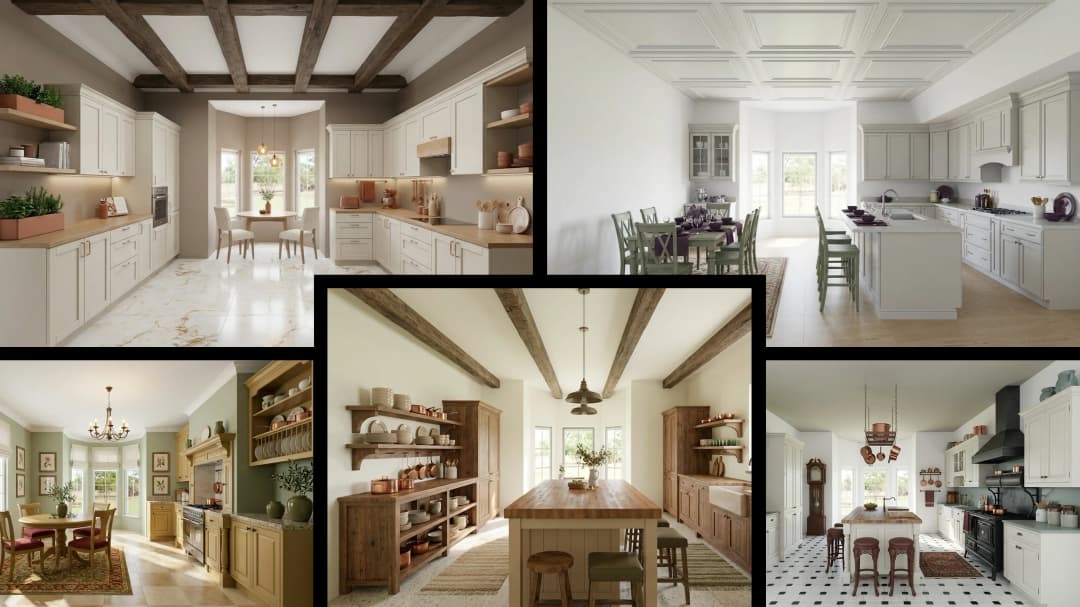
July 29, 2026
Kitchen and Bath: The Two Rooms That Decide Resale | VirtualSpaces
HHemanth Velury
CEO & Co-Founder
July 27, 2026
Why Empty Rooms Don't Sell: Virtual Staging | VirtualSpaces
HHemanth Velury
CEO & Co-Founder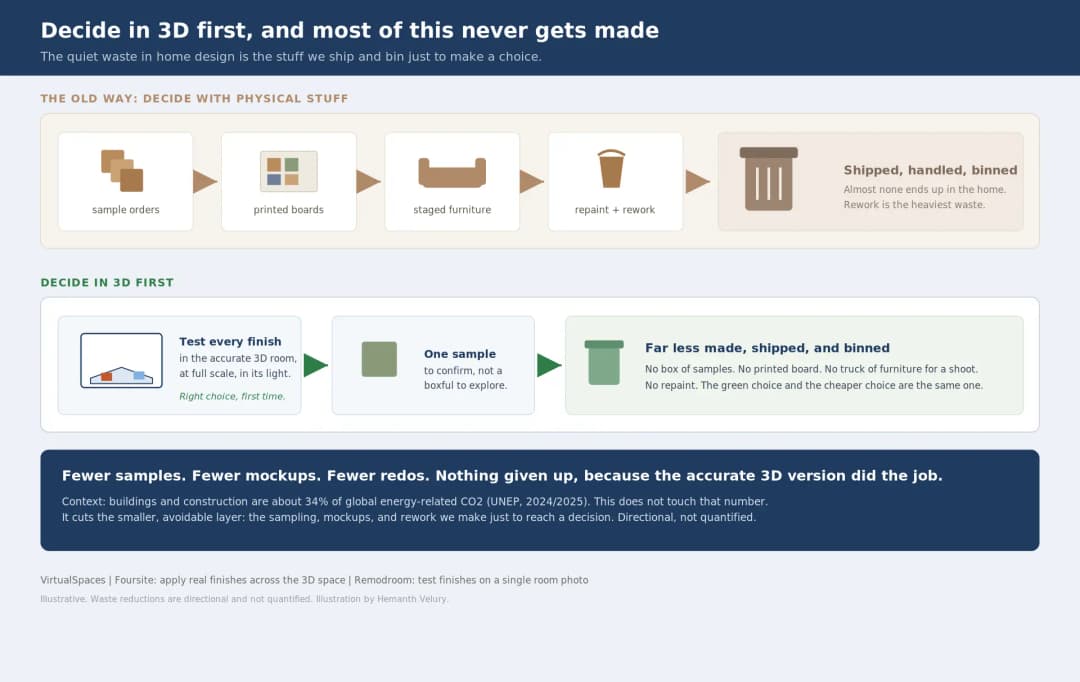
July 24, 2026
The Quiet Sustainability Win of Deciding in 3D | VirtualSpaces
HHemanth Velury
CEO & Co-Founder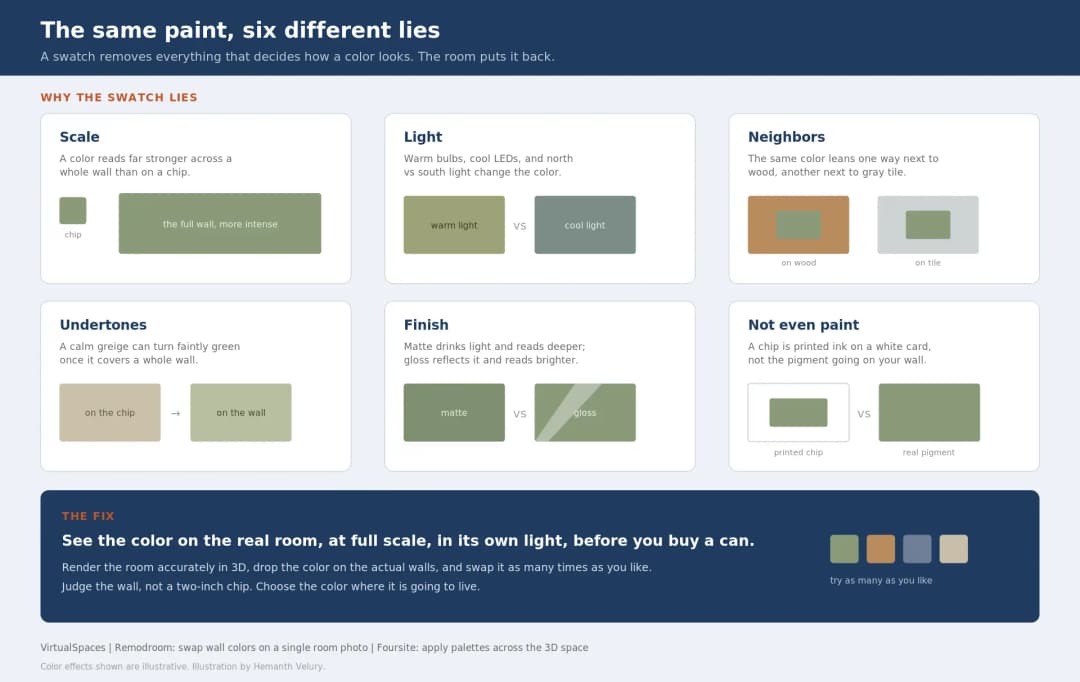
July 22, 2026
Why Paint Swatches Lie: Test Color in 3D First | VirtualSpaces
HHemanth Velury
CEO & Co-Founder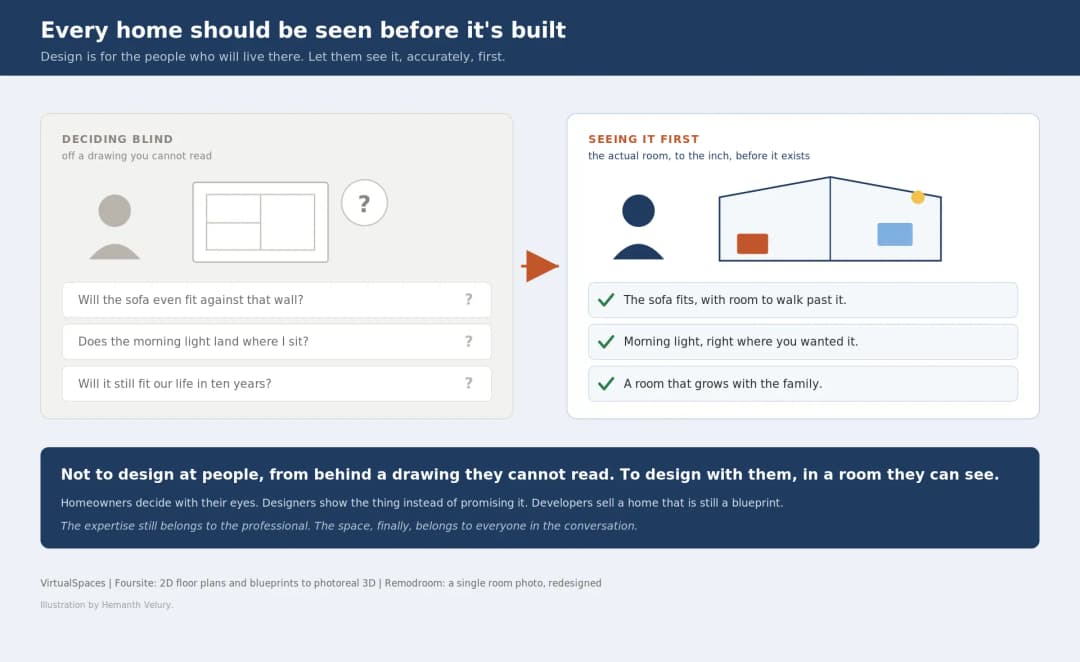
July 20, 2026
Why Every Home Should Be Seen Before It's Built | VirtualSpaces
HHemanth Velury
CEO & Co-Founder
July 17, 2026
Why Big AI Labs Won't Build Floor Plan to 3D | VirtualSpaces
HHemanth Velury
CEO & Co-Founder
July 15, 2026
How We Solve Floor Plan to 3D, Accurately | VirtualSpaces
HHemanth Velury
CEO & Co-Founder
July 13, 2026
Designing Homes That Age With the People in Them | VirtualSpaces
HHemanth Velury
CEO & Co-Founder
July 10, 2026
Designing Spaces for How Light Actually Moves | VirtualSpaces
HHemanth Velury
CEO & Co-Founder
July 08, 2026
Designing Homes for Every Life Stage in 3D | VirtualSpaces
HHemanth Velury
CEO & Co-Founder
July 06, 2026
Build an Interior Design Portfolio Without Clients | VirtualSpaces
HHemanth Velury
CEO & Co-Founder
June 26, 2026
AI Interior Design: Full 3D Workflow in One Platform | VirtualSpaces
HHemanth Velury
CEO & Co-Founder
June 24, 2026
Scope Creep in Interior Design: How AI Visualization Fixes It | VirtualSpaces
HHemanth Velury
CEO & Co-Founder
June 22, 2026
What Buyers See on a Floor Plan: Your Biggest Sales Problem | VirtualSpaces
HHemanth Velury
CEO & Co-Founder
June 19, 2026
Small Design Studios vs Big Firms: The AI Advantage | VirtualSpaces
HHemanth Velury
CEO & Co-Founder
June 17, 2026
After the Mood Board: AI Interior Visualization | VirtualSpaces
HHemanth Velury
CEO & Co-Founder
June 15, 2026
Foursite Pro Editor: Full Floor Plan Control for Designers | VirtualSpaces
HHemanth Velury
CEO & Co-Founder
June 12, 2026
AI Interior Design: Style Any Room in Seconds with Foursite | VirtualSpaces
HHemanth Velury
CEO & Co-Founder
June 10, 2026
Foursite: Floor Plan to 3D Walkthrough in Minutes | VirtualSpaces
HHemanth Velury
CEO & Co-Founder
June 08, 2026
Win More Pitches With AI Renders Before the Meeting | VirtualSpaces
HHemanth Velury
CEO & Co-Founder
June 05, 2026
From Floor Plan to Finished Room: What AI Now Makes Possible | VirtualSpaces
HHemanth Velury
CEO & Co-Founder
June 03, 2026
The Interior Design Brief Is Broken. AI Fixes It | VirtualSpaces
HHemanth Velury
CEO & Co-Founder
June 01, 2026
Pre-Construction Home Sales: AI Interior Visualization Guide | VirtualSpaces
HHemanth Velury
CEO & Co-Founder
May 30, 2026
Interior Design Principles: Applied with AI | VirtualSpaces
HHemanth Velury
CEO & Co-Founder
May 28, 2026
Designing Spaces for People, Not Blueprints | VirtualSpaces
HHemanth Velury
CEO & Co-Founder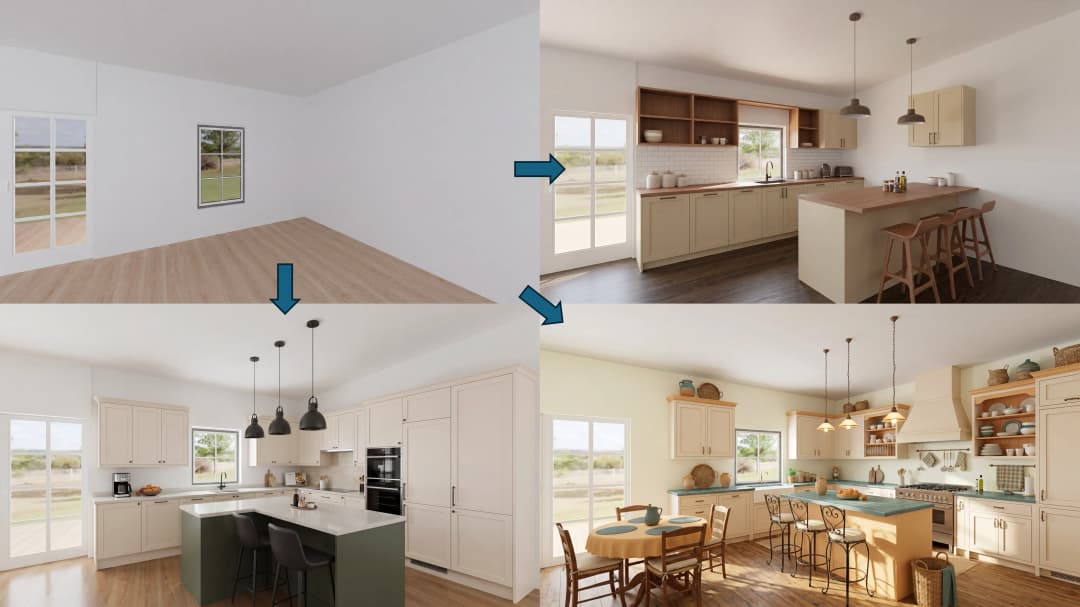
May 26, 2026
The Future of Interior Design: Closing the Visualization Gap with Foursite and Remodroom | VirtualSpaces
HHemanth Velury
CEO & Co-Founder
May 18, 2026
How AI Visualization Upgrades Property Data Platforms | VirtualSpaces
HHemanth Velury
CEO & Co-Founder
May 14, 2026
How AI-First Insurers Can Use 3D Property Data to Transform Home Claims | VirtualSpaces
HHemanth Velury
CEO & Co-FounderMay 12, 2026
Why Photoreal 3D Renders Are Replacing Mood Boards | Interior Design Client Presentations | VirtualSpaces
HHemanth Velury
CEO & Co-Founder
May 08, 2026
From 2D Floor Plans To Living Worlds: The Spec‑Accurate 3D Engine | VirtualSpaces
HHemanth Velury
CEO & Co-Founder
May 06, 2026
Why Furniture Brands Need AI 3D Visualization Now | VirtualSpaces
HHemanth Velury
CEO & Co-Founder
May 4, 2026
How Property Portals Can Turn 2D Floor Plans into 3D Design Decisions | VirtualSpaces
HHemanth Velury
CEO & Co-Founder
April 29, 2026
The Home-Fit Test: Why Square Footage Misleads | VirtualSpaces
HHemanth Velury
CEO & Co-Founder
April 27, 2026
Designing Homes That Sell: 3D Visualization ROI Data | VirtualSpaces
HHemanth Velury
CEO & Co-FounderApril 24, 2026
What's Next: Foursite & Remodroom's New AI Features | VirtualSpaces
HHemanth Velury
CEO & Co-Founder
April 22, 2026
AI in Architecture: Closing the 85% Exposure Gap | VirtualSpaces
HHemanth Velury
CEO & Co-Founder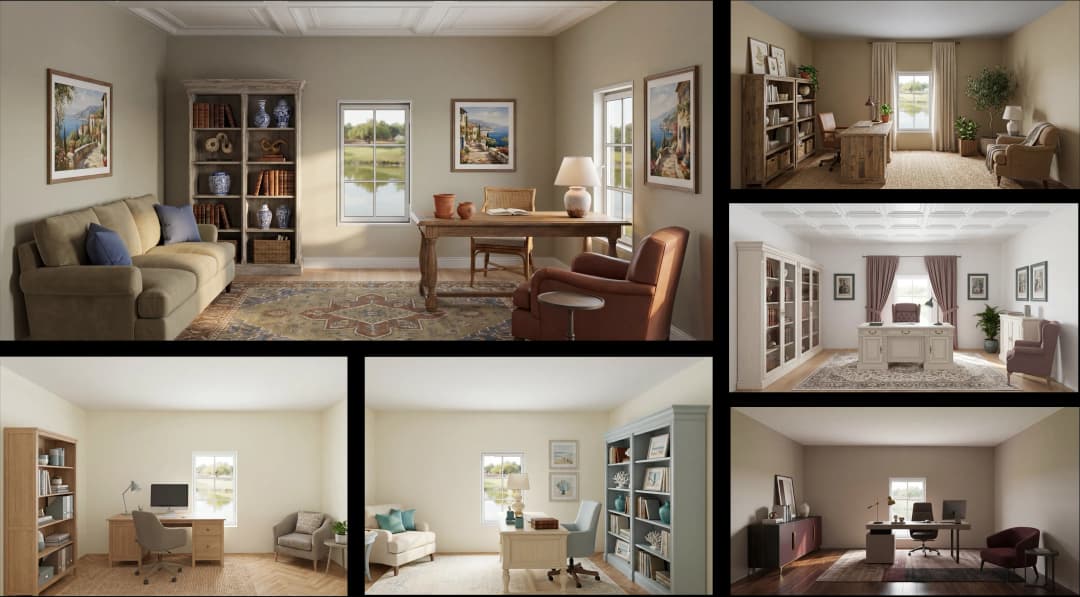
April 20, 2026
Interior Design Pricing in 2026: From Hourly to Value-Based Fees | VirtualSpaces
HHemanth Velury
CEO & Co-FounderApril 17, 2026
How Foursite and Remodroom Help Designers Win Clients | VirtualSpaces
HHemanth Velury
CEO & Co-Founder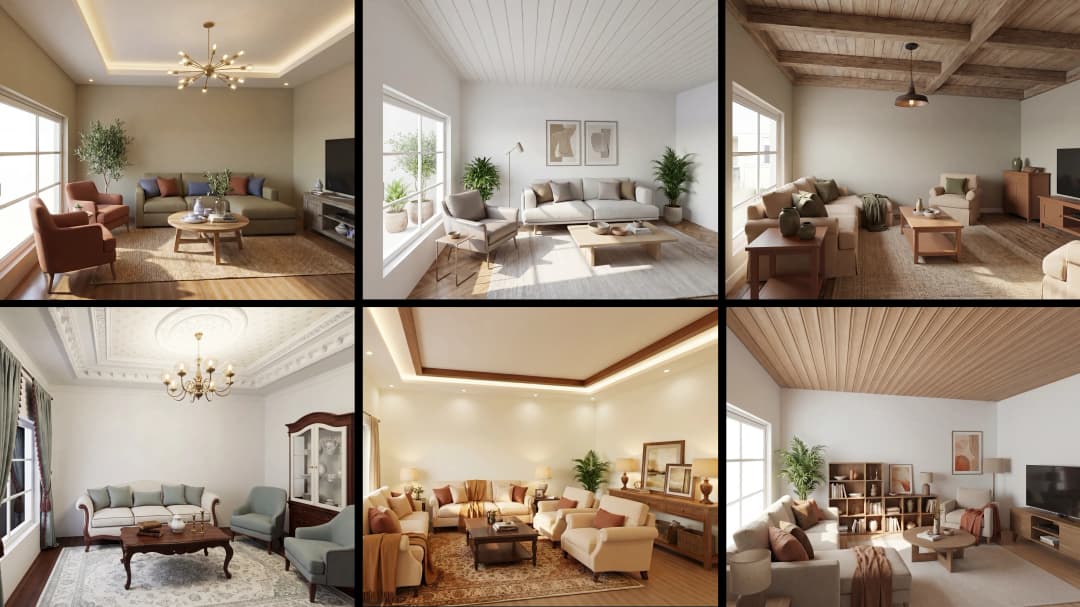
April 15, 2026
Designing Spaces for People: Remodroom + Foursite AI Guide | VirtualSpaces
HHemanth Velury
CEO & Co-Founder
April 13, 2026
Designing for the Way People Actually Live: How AI 3D Is Finally Closing the Gap Between Floor Plan and Reality
HHemanth Velury
CEO & Co-Founder
April 11, 2026
Design in Real Time: AI Renders in Your First Client Meeting
HHemanth Velury
CEO & Co-Founder
April 06, 2026
Why Real Estate Photography Is No Longer Enough: The Shift to Spatial-First Listings
HHemanth Velury
CEO & Co-Founder
April 03, 2026
Property Management's Hidden Weapon: AI 3D Floor Plans That Cut Vacancy Time and Raise Tenant Quality
HHemanth Velury
CEO & Co-Founder
April 01, 2026
Off-Plan and Oversubscribed: How AI 3D Visualization Is Transforming Real Estate Pre-Sales
HHemanth Velury
CEO & Co-Founder
March 30, 2026
Why Foursite Beats Generic AI Tools for Interior Design 3D Visualization
HHemanth Velury
CEO & Co-Founder
March 27, 2026
7 Tenets of Interior Design: How AI Accelerates Harmony in Residential Spaces
HHemanth Velury
CEO & Co-Founder
March 25, 2026
What Is the 3-5-7 Rule in Interior Design? Foursite's AI Guide for Residential Spaces
HHemanth Velury
CEO & Co-Founder
March 23, 2026
What Is the 70/30 Rule in Interior Design? Foursite's AI Guide for Residential Spaces
HHemanth Velury
CEO & Co-Founder
March 20, 2026
How AI 3D Visualization Is Rewriting Residential Interior Design Workflows
HHemanth Velury
CEO & Co-Founder
March 18, 2026
Beyond Marketing: How 3D Floorplans Transform FM, Retrofit Planning & ESG Operations
HHemanth Velury
CEO & Co-Founder
March 16, 2026
Why AI Companies Use Token Payments (And Why VirtualSpaces Is Returning To Fiat)
HHemanth Velury
CEO & Co-Founder
March 13, 2026
Floorplan‑Native Digital Twins: Beyond BIM for Consumer‑Ready Real Estate Experiences
HHemanth Velury
CEO & Co-Founder
March 11, 2026
The Foursite Platform Thesis: Why Floor Plans, Not Photos, Are the Next Property Software Primitive
HHemanth Velury
CEO & Co-Founder
March 09, 2026
Design Systems for Space: Building Reusable 3D Component Libraries on Top of AI Floorplan‑to‑3D Engines
HHemanth Velury
CEO & Co-Founder
March 06, 2026
How to Standardize Design Quality Across Global Projects Using AI Floorplan-to-3D Tools
HHemanth Velury
CEO & Co-Founder
March 04, 2026
From CAD-First to AI-First: Reskilling Your Team for AI-Native Design Workflows
HHemanth Velury
CEO & Co-Founder
March 02, 2026
Algorithmic Ergonomics Meets Photorealistic 3D: Designing Human-Centered Smart Homes with Foursite in 2026
HHemanth Velury
CEO & Co-Founder
February 27, 2026
The Ethics of AI in Interior Design: Ownership, Originality, and Client Transparency
HHemanth Velury
CEO & Co-Founder
February 25, 2026
Designing with Empathy: Using AI 3D Visualization to Improve Client Communication and Emotional Clarity
HHemanth Velury
CEO & Co-Founder
February 23, 2026
From Tool to Infrastructure: AI Floorplan-to-3D and the Next Wave of PropTech
HHemanth Velury
CEO & Co-Founder
February 20, 2026
AI Interior Design for Holiday Homes: Turn Spare Flats into High-Demand Short-Stay Rentals with 3D Visuals
HHemanth Velury
CEO & Co-Founder
February 18, 2026
The Pre‑Purchase Power Play: How Savvy Home Buyers Use 3D Floor Plan Visualization to Negotiate Better Deals
HHemanth Velury
CEO & Co-FounderFebruary 16, 2026
AI Interior Design for Non‑Designers: How Homeowners Can Brief Like Pros
HHemanth Velury
CEO & Co-Founder
February 13, 2026
Scaling a Design Business Without Hiring a 3D Team: An Owner's Guide
HHemanth Velury
CEO & Co-Founder
February 11, 2026
From Bland to Bold: How to Rescue Builder-Grade Interiors on Any Budget
HHemanth Velury
CEO & Co-Founder
February 6, 2026
The Psychology of Space: How Room Dimensions Influence Interior Design Decisions
HHemanth Velury
CEO & Co-Founder
February 4, 2026
The Future of Interior Design Visualization: How AI Technology is Transforming 2D Concepts Into 3D Reality
HHemanth Velury
CEO & Co-Founder
February 2, 2026
AI Interior Décor: How Artificial Intelligence Generates Design Options from Your Floor Plan
HHemanth Velury
CEO & Co-Founder
January 30, 2026
Photoreal vs. Reality: What Clients Actually Expect from Interior Design Visualization
HHemanth Velury
CEO & Co-Founder
January 28, 2026
The Design Approval Conversation That Changes Everything: Communication Strategy When Using Photorealistic Visualization
HHemanth Velury
CEO & Co-Founder
January 25, 2026
Interior Design as Experience Design: How 3D Visualization Changes Your Professional Identity
HHemanth Velury
CEO & Co-Founder
January 23, 2026
The Professional Gap: How 3D Visualization Changes Interior Design Client Perception
HHemanth Velury
CEO & Co-Founder
January 21, 2026
Why Clients Fire Designers (And How 3D Visualization Could Have Saved the Project)
HHemanth Velury
CEO & Co-Founder
January 16, 2026
Blueprint to Vision: Why Seeing Is Believing in Interior Design
HHemanth Velury
CEO & Co-Founder
January 14, 2026
The Speed of Responsiveness: How AI Visualization Tools Make You Look Like You Care More
HHemanth Velury
CEO & Co-Founder
January 12, 2026
Why Interior Designers and Architects Can't Compete Without AI 3D Visualization Tools
HHemanth Velury
CEO & Co-Founder
January 07, 2026
From "Saved" to "Sold": How Homeowners Are Planning Renovations with AI
HHemanth Velury
CEO & Co-Founder
January 05, 2026
The Interior Designer's Secret Weapon: Speed as Premium Positioning
HHemanth Velury
CEO & Co-Founder
December 31, 2025
Gratitude, Growth & Game-Changing Innovation: VirtualSpaces' 2025 Journey & What's Coming in 2026
HHemanth Velury
CEO & Co-Founder
December 29, 2025
Why Interior Designers Are Switching to AI Floor Plan-to-3D Tools in 2026
HHemanth Velury
CEO & Co-Founder
December 26, 2025
AI Virtual Staging for Real Estate Agents: Sell More Homes Faster with Foursite
HHemanth Velury
CEO & Co-Founder
December 24, 2025
Why Architects Are Switching to AI 2D-to-3D: The SketchUp Alternative
HHemanth Velury
CEO & Co-Founder
December 22, 2025
Cut 3 Weeks from Real Estate Sales Cycle: The ROI of AI 2D to 3D Visualization
HHemanth Velury
CEO & Co-Founder
December 19, 2025
2D Floor Plans Are Dying: Why 3D Visualization & AI Virtual Staging Are the Future
HHemanth Velury
CEO & Co-Founder
December 17, 2025
Virtual Staging vs Physical Staging: How AI Saves Money Per Property
HHemanth Velury
CEO & Co-Founder
December 15, 2025
AI Floor Plan to Image: Revolutionizing Real Estate Marketing for Agents
HHemanth Velury
CEO & Co-Founder
December 12, 2025
Color of the Year 2026: Cloud Dancer | VirtualSpaces AI Interior Design Guide
HHemanth Velury
CEO & Co-Founder
December 10, 2025
AI Floor Plan to 3D: The New Standard for Interior Design Workflows
HHemanth Velury
CEO & Co-Founder
December 08, 2025
How Interior Design Studios Can Operationalize AI 2D-to-3D Workflows (Without Breaking Their Process)
HHemanth Velury
CEO & Co-Founder
December 06, 2025
How to Implement AI Interior Design Workflows in Your Studio
HHemanth Velury
CEO & Co-Founder
November 28, 2025
Interior Designers in the Age of AI: From Threat Narrative to Superpower
HHemanth Velury
CEO & Co-Founder
November 21, 2025
Foursite Launch: Embracing 'Release Early, Release Often'
HHemanth Velury
CEO & Co-Founder
November 13, 2025
Foursite by VirtSpaces: Empowering Interior Designers, Architects, and Homeowners
HHemanth Velury
CEO & Co-Founder
November 7, 2025
Reimagining Architectural Education: How AI Floorplan-to-3D Technology Can Transform Design Learning
VVirtualSpaces Research Labs
AI Research Initiative
October 27, 2025
Archisculpt AI: Turning Architectural Drawings into Photorealistic 3D Spaces
AAbhijeet Naik
Co-Founder & CTO
October 13, 2025
Home Makeover: From Floor Plan to Dream Space with AI
HHemanth Velury
CEO & Co-Founder
October 6, 2025
Real-Time Rendering & AI: Revolutionizing Interactive Property Walkthroughs with VirtSpaces
HHemanth Velury
CEO & Co-Founder
September 26, 2025
Foursite - A True AI-Native Experience in Design Visualization
AAbhijeet Naik
CTO & Co-Founder
September 18, 2025
Why PropTech Startups Are Betting on AI Interior Design
HHemanth Velury
CEO & Co-Founder
September 11, 2025
How AI Differs from Traditional 3D Rendering Software
HHemanth Velury
CEO & Co-Founder
September 2, 2025
From Client to Investor: How Nila Spaces and VirtSpaces Are Redefining Proptech with AI
HHemanth Velury
CEO & Co-Founder
August 25, 2025
VirtSpaces From Virtual Reality to AI – Transforming Real Estate Visualization.
HHemanth Velury
CEO & Co-Founder


We help teams collaborate seamlessly and reduce costs. Virtual Spaces offers cutting-edge technology with flexible plans designed to fit modern teams.
Copyright © VirtSpaces Pvt. Ltd. 2025 All Rights Reserved.
CIN: U74999KA2016PTC094921