
March 04, 2026
- Interior Design
- AI Technology
- Real Estate
From CAD-First to AI-First: Reskilling Your Team for AI-Native Design Workflows
Hemanth Velury
CEO & Co-FounderFrom CAD-First to AI-First: Reskilling Your Team for AI-Native Design Workflows
For years, interior designers have been trained to think in a CAD-first world. You start in 2D, draft every line, then push that work into 3D tools, refine, render, iterate, and finally present. It is powerful, but slow and heavy. In a market where clients expect faster turnarounds, richer visuals, and endless options, that traditional pipeline is beginning to feel like a bottleneck.
AI-native tools like Foursite from VirtualSpaces flip that script. Instead of spending hours rebuilding models, you can convert 2D floor plans and Blueprints directly into 3D, generate interior design photoreal renders in minutes, and use AI virtual staging to explore multiple concepts without redoing the work from scratch. The opportunity is not just speed for the sake of speed, it is speed that unlocks creative differentiation.
This blog walks through how to reskill an interior design team from CAD-first habits to AI-first, AI interior design workflows. The focus is practical: what changes in your day-to-day, which skills now matter, and how to use platforms like Foursite to stand out, not just keep up.
Why CAD-First Workflows Are Holding Interior Designers Back
Traditional CAD-first workflows were built for a world where every drawing was precious and every render was expensive. That world is disappearing. Today, clients compare you not just to other firms, but to what they see on Instagram, Pinterest, and AI-generated mood-boards.
In a CAD-first pipeline, your team spends a lot of time on tasks that do not actually differentiate your studio:
- Redrawing 2D floor plans you already have from the architect
- Rebuilding walls, doors, and windows in 3D just to reach a basic 3D visualization
- Waiting hours for interior design renders to finish
- Making tiny edits and re-rendering because a client changed their mind about a sofa or a wall color
All of that manual work adds up. It means fewer alternate schemes, fewer styling experiments, and less time thinking about narrative, emotion, and user experience in the space. It also means your designers are more likely to burn out doing production instead of design.
When you compare that to an AI-first workflow, where you can convert floor plan to 3D, virtually stage spaces, and generate photorealistic interior images on demand, the gap becomes obvious. The firms that can do in a morning what others need a week for will have a real advantage.
What "AI-First" Really Means for Interior Design
A lot of tools advertise themselves as "AI-powered," but still behave like old software with a sprinkle of automation. An AI-first workflow is different. It is built around the assumption that AI does the heavy lifting, and designers do the high-value, human thinking.
In an AI-first interior design pipeline, core steps change:
- You start from 2D to 3D almost instantly. Instead of redrawing, you upload 2D floor plans or Blueprints and let the system convert blueprint to 3D and convert floor plan to 3D automatically.
- You work directly in AI 3D visualization and AI visualization, navigating a live 3D model that was created for you, not by you.
- You lean on AI interior décor / AI interior decor capabilities to try multiple styles, materials, and furniture layouts at speed.
- You use Virtual Staging and AI virtual staging to transform empty shells into compelling, fully furnished concepts tailored to your client's taste.
Foursite by VirtualSpaces is a good example of this shift. Instead of requiring deep 3D skills, it allows you to upload a floor plan or blueprint, get an interactive floor plan to 3D model, and then generate interior design photoreal renders with a few inputs. The learning curve is less about commands and more about creative direction.
In other words, AI-first does not replace the designer; it replaces the drudge work.
Speed + Differentiation: Why AI-First Matters Now
Two forces are reshaping interior design: timelines and expectations.
Clients are asking for:
- Faster decision cycles
- More options before committing
- Clearer, more realistic previews of the final space
If your team still needs days to prepare a round of interior design 3D visualization and interior design renders, you either push your people harder or disappoint clients. Neither is sustainable.
AI-first workflows answer this in two ways:
Speed
- Automatic 2D to 3D conversion collapses the early modeling phase from days to minutes.
- Built-in 3D Visualization and render engines mean you can test materials, lighting, and layouts without exporting to multiple tools.
- AI interior design suggestions help you get "first drafts" of a space incredibly fast, which you can then refine with your creative judgment.
Differentiation
- Instead of stopping at one "final" concept, you can show three or four fully realized versions using AI 3D visualization and virtual staging.
- You can tailor every board more precisely to each client's lifestyle, using AI interior décor capabilities to explore different décor directions on the same base model.
- With tools like Foursite, your visual stories feel richer: you can walk clients through their future home, generate multiple interior design photoreal renders, and highlight details that are usually lost in static drawings.
Speed without differentiation is just cheaper work. Differentiation without speed is hard to sell. AI-first workflows, especially in the context of VirtualSpaces and Foursite, give you both.
Rethinking Roles: What an AI-First Interior Team Looks Like
To move from CAD-first to AI-first, you do not throw away your existing skills. You repurpose them. Think of your team's abilities as a palette. AI adds new colors, but you still decide how to use them.
Here are some roles and skill shifts to consider:
-
AI Visualization Lead: A designer who owns the AI visualization workflow: uploading floor plans, managing the blueprint to 3D and floor plan to 3D conversions, setting up scenes, and ensuring outputs from Foursite align with your studio's quality bar.
-
Style & Décor Director: Someone who excels at interior storytelling. They use AI interior design and AI interior décor / AI interior decor tools to explore different themes, materials, and furniture palettes rapidly, then curate the best options.
-
Client Experience Designer: A designer who focuses on client presentations, choosing the right interior design 3D visualization angles, arranging interior design renders into compelling narratives, and using photoreal visuals to guide decisions.
-
Technical Integrator: A power user who understands how Foursite and other VirtualSpaces tools fit with your existing stack: CAD, BIM, project management, and collaboration platforms. They ensure you can move from 2D floor plans to AI-native 3D and still coordinate with architects and contractors.
Your existing CAD experts do not lose relevance. Their spatial understanding and attention to detail are still critical. But instead of spending 80% of their time on manual modeling, they spend more of it directing AI, checking accuracy, and refining the design narrative.
A Practical Reskilling Roadmap for Interior Designers
Reskilling your team for AI-native design workflows does not have to be chaotic. Here is a phased, practical path that many studios can follow.
Phase 1: Awareness and Mindset Shift
Start with education, not software training.
- Explain the difference between CAD-first and AI-first workflows.
- Show concrete before/after examples: "Here's what used to take us three days; here's how we can now do it in an afternoon using floor plan to 3D and virtual staging."
- Address fears directly: AI is a co-designer, not a replacement. The goal is to eliminate repetitive production work so designers can do more creative, client-facing thinking.
Phase 2: Hands-On with Floor Plans and Blueprints
Next, focus on the core input: 2D floor plans and Blueprints.
- Train your team to prepare clean, well-annotated floor plans that work well with AI tools. Simple linework, clear walls, doors, windows, and room labels help the system convert blueprint to 3D more accurately.
- Practice uploading different types of floor plans into Foursite and similar tools and reviewing the generated 3D visualization for accuracy.
- Build a checklist: what to verify after every convert floor plan to 3D run (ceiling heights, door swings, key openings, etc.).
This phase plays to your team's existing strengths. They already think in plans and sections; now they're just learning to hand that knowledge to AI more effectively.
Phase 3: Style, Prompts, and AI Interior Design Literacy
Once the team is comfortable getting from 2D to 3D, move to styling and storytelling.
- Teach basic "prompting" skills if your tools use text input: how to describe a Scandinavian living room, a contemporary kitchen, or a biophilic office so that AI interior design features respond correctly.
- Use AI interior décor / AI interior decor to experiment with color palettes, materials, and furniture concepts. Make this playful: Run design sprints where each designer generates five different looks for the same room.
- Collect the best results as internal references, so new team members can see how to drive the AI in line with your studio's aesthetic.
Over time, your designers build a personal "prompt vocabulary" that becomes a competitive edge, just like their SketchUp or CAD skills used to be.
Phase 4: Presentation-Ready 3D and Photoreal Renders
The final phase is about raising the floor on your visual output.
- Standardize your interior design 3D visualization outputs: preferred camera angles, typical lighting setups, and resolution for client meetings.
- Use Foursite's rendering capabilities to produce interior design photoreal renders faster than ever. Instead of one "hero shot" per room, aim for a small set of angles that show flow, function, and detail.
- Combine AI virtual staging with these renders to visualize furnished and unfurnished versions of the same space, especially for real estate clients.
The goal is to make stunning 3D visuals the default, not the exception. Once the process is streamlined, you can afford to treat every project like a portfolio piece.
Everyday Workflows: Before and After Foursite
To make this more concrete, imagine a typical small residential project in a CAD-first vs AI-first world.
Before (CAD-First)
- Day 1--2: Rebuild 2D floor plans in 3D software.
- Day 3--4: Add basic furniture blocks, materials, and lighting.
- Day 5: Render a few key views. Wait for long render times, tweak settings, re-render.
- Day 6: Assemble a presentation deck with drawings and static images.
After (AI-First with Foursite and VirtualSpaces)
- Morning, Day 1: Upload floor plans or Blueprints to Foursite and instantly get 2D to 3D models.
- Midday: Use AI 3D visualization tools to navigate the model, check proportions, and adjust where needed.
- Afternoon: Apply AI interior design and AI interior décor options to generate multiple furnishing schemes; use Virtual Staging to test different moods.
- End of Day 1: Export a set of interior design renders and interior design photoreal renders, compile them into a story-driven presentation.
Same project, but the time spent is drastically different. Instead of burning a week on base modeling and rendering, your designers invest their energy in options, narrative, and client fit. That is where differentiation is created.
Guardrails: Quality, Control, and Your Design DNA
Embracing an AI-first workflow does not mean giving up control. The best outcomes come when you set clear guardrails.
- Define your visual standards: Document what "good" looks like for your studio. This might include standard color temperatures, realistic material expectations, and the kind of composition you like in 3D Visualization shots.
- Review every AI output: AI can generate impressive results, but it can also make mistakes. Designers should always review the AI 3D visualization and interior design renders against functional requirements and human comfort.
- Keep your signature: Encourage designers to apply their own sensibilities to each AI-assisted concept. The goal is not to accept the first AI suggestion, but to treat it as a quick sketch that you refine into something uniquely yours.
Your studio's identity comes from the choices you make, not the tools you use. AI simply lets you make more considered choices in less time.
How to Introduce Foursite and VirtualSpaces into Your Practice
If you are ready to experiment, here is a simple way to introduce tools like Foursite into your studio without disrupting everything at once.
-
Pilot on an Internal or Low-Risk Project: Choose a project where you have some schedule flexibility. Run your usual CAD-first pipeline, but in parallel, have a small group try an AI-first approach using Foursite and VirtualSpaces. Compare time spent, team satisfaction, and client reactions.
-
Identify Quick Wins: Maybe Foursite is most helpful for early-phase concepting, or for real estate decks that need fast AI virtual staging. Start by using it there. Once everyone sees the benefits, it becomes easier to expand its role.
-
Create Simple Internal Training: Record screen shares, run short workshops, and create checklists on how to:
- Prepare 2D floor plans and Blueprints for upload
- Use blueprint to 3D and floor plan to 3D features correctly
- Generate strong interior design 3D visualization angles
- Turn AI ideas into final interior design photoreal renders
-
Iterate Based on Feedback: Ask your designers what feels slower, what feels faster, and where the AI saves them the most frustration. Use that to refine your workflows and reskilling plan.
This approach keeps you in control while still taking advantage of the AI-native capabilities that Foursite and VirtualSpaces bring to the table.
The Future Belongs to AI-Native Interior Teams
The tools have already arrived. Whether it is AI interior design platforms, AI 3D visualization engines, or specialized solutions like Foursite, the technology to go from 2D to 3D, convert blueprint to 3D, and generate polished interior design renders is no longer experimental, it is usable today.
The real differentiator now is your team.
Studios that cling to a purely CAD-first mindset risk being outpaced not because they lack talent, but because their talent is trapped in inefficient workflows. Studios that embrace AI-first, AI-native processes will move faster, tell richer stories, and deliver more value per hour of design time.
Reskilling your team is not a one-off training session. It is a cultural shift from "How do I model this?" to "How do I direct the AI to express this idea beautifully and clearly?" Once that shift clicks, tools like Foursite and VirtualSpaces stop feeling like novelties and start feeling like essential collaborators.
If you are an interior designer or studio leader, this is the moment to experiment, learn, and lead. Your future projects and your future clients will thank you for it.
Recommended for you

August 19, 2026
The End of the Model Home? 3D Changes the Math | VirtualSpaces
HHemanth Velury
CEO & Co-Founder
August 17, 2026
Designing Spaces That Actually Get Built | VirtualSpaces
HHemanth Velury
CEO & Co-Founder
August 12, 2026
Designing Homes for the Stuff People Actually Own | VirtualSpaces
HHemanth Velury
CEO & Co-Founder
August 07, 2026
Floor Plan to Bill of Materials: The 3D Model as Data | VirtualSpaces
HHemanth Velury
CEO & Co-Founder.png&w=1080&q=75)
August 05, 2026
Designing Homes for How People Actually Live | VirtualSpaces
HHemanth Velury
CEO & Co-Founder
August 03, 2026
Honest by Design: Trust in AI Real Estate Imagery | VirtualSpaces
HHemanth Velury
CEO & Co-Founder
July 29, 2026
Kitchen and Bath: The Two Rooms That Decide Resale | VirtualSpaces
HHemanth Velury
CEO & Co-Founder
July 27, 2026
Why Empty Rooms Don't Sell: Virtual Staging | VirtualSpaces
HHemanth Velury
CEO & Co-Founder
July 24, 2026
The Quiet Sustainability Win of Deciding in 3D | VirtualSpaces
HHemanth Velury
CEO & Co-Founder
July 22, 2026
Why Paint Swatches Lie: Test Color in 3D First | VirtualSpaces
HHemanth Velury
CEO & Co-Founder
July 20, 2026
Why Every Home Should Be Seen Before It's Built | VirtualSpaces
HHemanth Velury
CEO & Co-Founder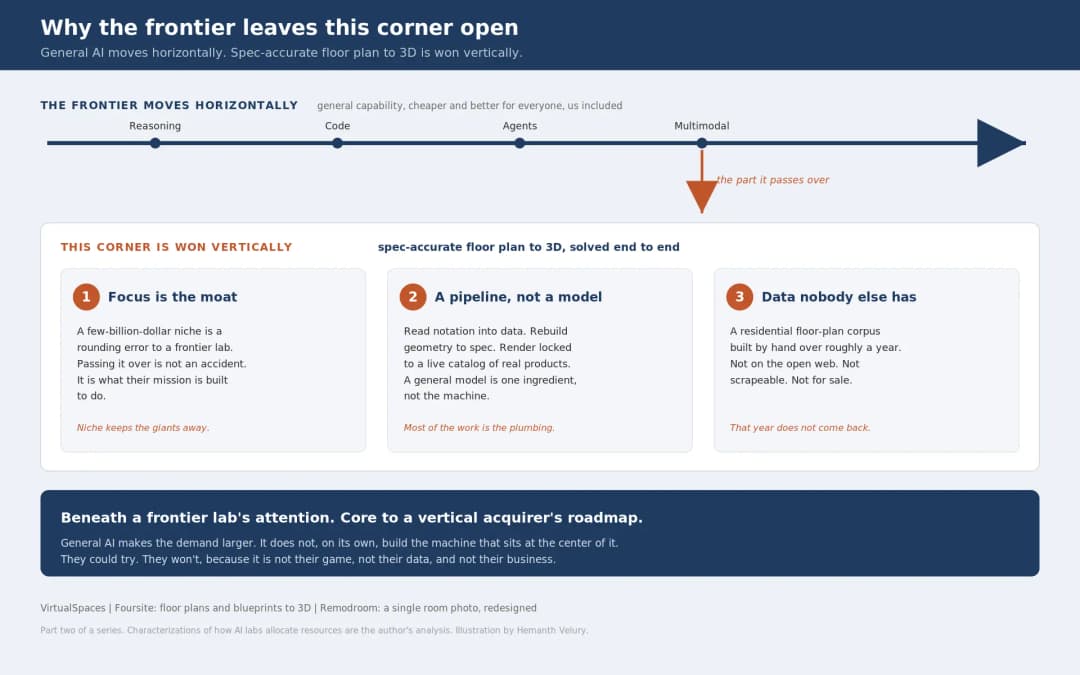
July 17, 2026
Why Big AI Labs Won't Build Floor Plan to 3D | VirtualSpaces
HHemanth Velury
CEO & Co-Founder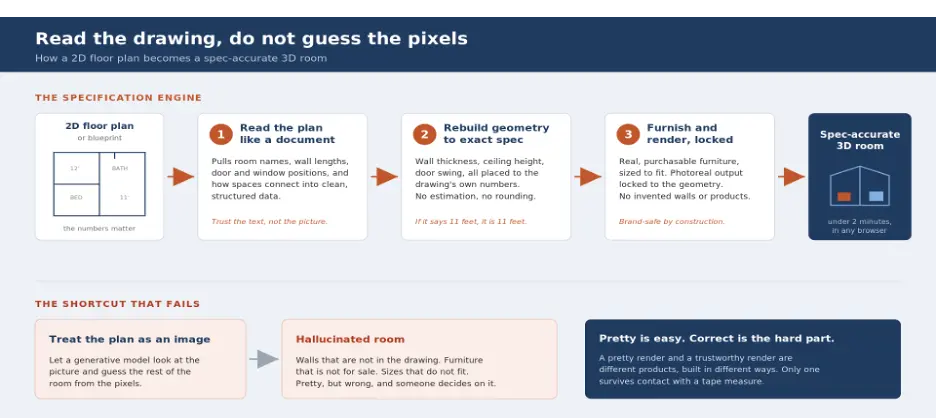
July 15, 2026
How We Solve Floor Plan to 3D, Accurately | VirtualSpaces
HHemanth Velury
CEO & Co-Founder
July 13, 2026
Designing Homes That Age With the People in Them | VirtualSpaces
HHemanth Velury
CEO & Co-Founder
July 10, 2026
Designing Spaces for How Light Actually Moves | VirtualSpaces
HHemanth Velury
CEO & Co-Founder
July 08, 2026
Designing Homes for Every Life Stage in 3D | VirtualSpaces
HHemanth Velury
CEO & Co-Founder
July 06, 2026
Build an Interior Design Portfolio Without Clients | VirtualSpaces
HHemanth Velury
CEO & Co-Founder
June 26, 2026
AI Interior Design: Full 3D Workflow in One Platform | VirtualSpaces
HHemanth Velury
CEO & Co-Founder
June 24, 2026
Scope Creep in Interior Design: How AI Visualization Fixes It | VirtualSpaces
HHemanth Velury
CEO & Co-Founder
June 22, 2026
What Buyers See on a Floor Plan: Your Biggest Sales Problem | VirtualSpaces
HHemanth Velury
CEO & Co-Founder
June 19, 2026
Small Design Studios vs Big Firms: The AI Advantage | VirtualSpaces
HHemanth Velury
CEO & Co-Founder
June 17, 2026
After the Mood Board: AI Interior Visualization | VirtualSpaces
HHemanth Velury
CEO & Co-Founder
June 15, 2026
Foursite Pro Editor: Full Floor Plan Control for Designers | VirtualSpaces
HHemanth Velury
CEO & Co-Founder
June 12, 2026
AI Interior Design: Style Any Room in Seconds with Foursite | VirtualSpaces
HHemanth Velury
CEO & Co-Founder
June 10, 2026
Foursite: Floor Plan to 3D Walkthrough in Minutes | VirtualSpaces
HHemanth Velury
CEO & Co-Founder
June 08, 2026
Win More Pitches With AI Renders Before the Meeting | VirtualSpaces
HHemanth Velury
CEO & Co-Founder
June 05, 2026
From Floor Plan to Finished Room: What AI Now Makes Possible | VirtualSpaces
HHemanth Velury
CEO & Co-Founder
June 03, 2026
The Interior Design Brief Is Broken. AI Fixes It | VirtualSpaces
HHemanth Velury
CEO & Co-Founder
June 01, 2026
Pre-Construction Home Sales: AI Interior Visualization Guide | VirtualSpaces
HHemanth Velury
CEO & Co-Founder
May 30, 2026
Interior Design Principles: Applied with AI | VirtualSpaces
HHemanth Velury
CEO & Co-Founder
May 28, 2026
Designing Spaces for People, Not Blueprints | VirtualSpaces
HHemanth Velury
CEO & Co-Founder
May 26, 2026
The Future of Interior Design: Closing the Visualization Gap with Foursite and Remodroom | VirtualSpaces
HHemanth Velury
CEO & Co-Founder
May 18, 2026
How AI Visualization Upgrades Property Data Platforms | VirtualSpaces
HHemanth Velury
CEO & Co-Founder
May 14, 2026
How AI-First Insurers Can Use 3D Property Data to Transform Home Claims | VirtualSpaces
HHemanth Velury
CEO & Co-FounderMay 12, 2026
Why Photoreal 3D Renders Are Replacing Mood Boards | Interior Design Client Presentations | VirtualSpaces
HHemanth Velury
CEO & Co-Founder
May 08, 2026
From 2D Floor Plans To Living Worlds: The Spec‑Accurate 3D Engine | VirtualSpaces
HHemanth Velury
CEO & Co-Founder
May 06, 2026
Why Furniture Brands Need AI 3D Visualization Now | VirtualSpaces
HHemanth Velury
CEO & Co-Founder
May 4, 2026
How Property Portals Can Turn 2D Floor Plans into 3D Design Decisions | VirtualSpaces
HHemanth Velury
CEO & Co-Founder
April 29, 2026
The Home-Fit Test: Why Square Footage Misleads | VirtualSpaces
HHemanth Velury
CEO & Co-Founder
April 27, 2026
Designing Homes That Sell: 3D Visualization ROI Data | VirtualSpaces
HHemanth Velury
CEO & Co-FounderApril 24, 2026
What's Next: Foursite & Remodroom's New AI Features | VirtualSpaces
HHemanth Velury
CEO & Co-Founder
April 22, 2026
AI in Architecture: Closing the 85% Exposure Gap | VirtualSpaces
HHemanth Velury
CEO & Co-Founder
April 20, 2026
Interior Design Pricing in 2026: From Hourly to Value-Based Fees | VirtualSpaces
HHemanth Velury
CEO & Co-FounderApril 17, 2026
How Foursite and Remodroom Help Designers Win Clients | VirtualSpaces
HHemanth Velury
CEO & Co-Founder
April 15, 2026
Designing Spaces for People: Remodroom + Foursite AI Guide | VirtualSpaces
HHemanth Velury
CEO & Co-Founder
April 13, 2026
Designing for the Way People Actually Live: How AI 3D Is Finally Closing the Gap Between Floor Plan and Reality
HHemanth Velury
CEO & Co-Founder
April 11, 2026
Design in Real Time: AI Renders in Your First Client Meeting
HHemanth Velury
CEO & Co-Founder
April 06, 2026
Why Real Estate Photography Is No Longer Enough: The Shift to Spatial-First Listings
HHemanth Velury
CEO & Co-Founder
April 03, 2026
Property Management's Hidden Weapon: AI 3D Floor Plans That Cut Vacancy Time and Raise Tenant Quality
HHemanth Velury
CEO & Co-Founder
April 01, 2026
Off-Plan and Oversubscribed: How AI 3D Visualization Is Transforming Real Estate Pre-Sales
HHemanth Velury
CEO & Co-Founder
March 30, 2026
Why Foursite Beats Generic AI Tools for Interior Design 3D Visualization
HHemanth Velury
CEO & Co-Founder
March 27, 2026
7 Tenets of Interior Design: How AI Accelerates Harmony in Residential Spaces
HHemanth Velury
CEO & Co-Founder
March 25, 2026
What Is the 3-5-7 Rule in Interior Design? Foursite's AI Guide for Residential Spaces
HHemanth Velury
CEO & Co-Founder
March 23, 2026
What Is the 70/30 Rule in Interior Design? Foursite's AI Guide for Residential Spaces
HHemanth Velury
CEO & Co-Founder
March 20, 2026
How AI 3D Visualization Is Rewriting Residential Interior Design Workflows
HHemanth Velury
CEO & Co-Founder
March 18, 2026
Beyond Marketing: How 3D Floorplans Transform FM, Retrofit Planning & ESG Operations
HHemanth Velury
CEO & Co-Founder
March 16, 2026
Why AI Companies Use Token Payments (And Why VirtualSpaces Is Returning To Fiat)
HHemanth Velury
CEO & Co-Founder
March 13, 2026
Floorplan‑Native Digital Twins: Beyond BIM for Consumer‑Ready Real Estate Experiences
HHemanth Velury
CEO & Co-Founder
March 11, 2026
The Foursite Platform Thesis: Why Floor Plans, Not Photos, Are the Next Property Software Primitive
HHemanth Velury
CEO & Co-Founder
March 09, 2026
Design Systems for Space: Building Reusable 3D Component Libraries on Top of AI Floorplan‑to‑3D Engines
HHemanth Velury
CEO & Co-Founder
March 06, 2026
How to Standardize Design Quality Across Global Projects Using AI Floorplan-to-3D Tools
HHemanth Velury
CEO & Co-Founder
March 02, 2026
Algorithmic Ergonomics Meets Photorealistic 3D: Designing Human-Centered Smart Homes with Foursite in 2026
HHemanth Velury
CEO & Co-Founder
February 27, 2026
The Ethics of AI in Interior Design: Ownership, Originality, and Client Transparency
HHemanth Velury
CEO & Co-Founder
February 25, 2026
Designing with Empathy: Using AI 3D Visualization to Improve Client Communication and Emotional Clarity
HHemanth Velury
CEO & Co-Founder
February 23, 2026
From Tool to Infrastructure: AI Floorplan-to-3D and the Next Wave of PropTech
HHemanth Velury
CEO & Co-Founder
February 20, 2026
AI Interior Design for Holiday Homes: Turn Spare Flats into High-Demand Short-Stay Rentals with 3D Visuals
HHemanth Velury
CEO & Co-Founder
February 18, 2026
The Pre‑Purchase Power Play: How Savvy Home Buyers Use 3D Floor Plan Visualization to Negotiate Better Deals
HHemanth Velury
CEO & Co-FounderFebruary 16, 2026
AI Interior Design for Non‑Designers: How Homeowners Can Brief Like Pros
HHemanth Velury
CEO & Co-Founder
February 13, 2026
Scaling a Design Business Without Hiring a 3D Team: An Owner's Guide
HHemanth Velury
CEO & Co-Founder
February 11, 2026
From Bland to Bold: How to Rescue Builder-Grade Interiors on Any Budget
HHemanth Velury
CEO & Co-Founder
February 6, 2026
The Psychology of Space: How Room Dimensions Influence Interior Design Decisions
HHemanth Velury
CEO & Co-Founder
February 4, 2026
The Future of Interior Design Visualization: How AI Technology is Transforming 2D Concepts Into 3D Reality
HHemanth Velury
CEO & Co-Founder
February 2, 2026
AI Interior Décor: How Artificial Intelligence Generates Design Options from Your Floor Plan
HHemanth Velury
CEO & Co-Founder
January 30, 2026
Photoreal vs. Reality: What Clients Actually Expect from Interior Design Visualization
HHemanth Velury
CEO & Co-Founder
January 28, 2026
The Design Approval Conversation That Changes Everything: Communication Strategy When Using Photorealistic Visualization
HHemanth Velury
CEO & Co-Founder
January 25, 2026
Interior Design as Experience Design: How 3D Visualization Changes Your Professional Identity
HHemanth Velury
CEO & Co-Founder
January 23, 2026
The Professional Gap: How 3D Visualization Changes Interior Design Client Perception
HHemanth Velury
CEO & Co-Founder
January 21, 2026
Why Clients Fire Designers (And How 3D Visualization Could Have Saved the Project)
HHemanth Velury
CEO & Co-Founder
January 16, 2026
Blueprint to Vision: Why Seeing Is Believing in Interior Design
HHemanth Velury
CEO & Co-Founder
January 14, 2026
The Speed of Responsiveness: How AI Visualization Tools Make You Look Like You Care More
HHemanth Velury
CEO & Co-Founder
January 12, 2026
Why Interior Designers and Architects Can't Compete Without AI 3D Visualization Tools
HHemanth Velury
CEO & Co-Founder
January 07, 2026
From "Saved" to "Sold": How Homeowners Are Planning Renovations with AI
HHemanth Velury
CEO & Co-Founder
January 05, 2026
The Interior Designer's Secret Weapon: Speed as Premium Positioning
HHemanth Velury
CEO & Co-Founder
December 31, 2025
Gratitude, Growth & Game-Changing Innovation: VirtualSpaces' 2025 Journey & What's Coming in 2026
HHemanth Velury
CEO & Co-Founder
December 29, 2025
Why Interior Designers Are Switching to AI Floor Plan-to-3D Tools in 2026
HHemanth Velury
CEO & Co-Founder
December 26, 2025
AI Virtual Staging for Real Estate Agents: Sell More Homes Faster with Foursite
HHemanth Velury
CEO & Co-Founder
December 24, 2025
Why Architects Are Switching to AI 2D-to-3D: The SketchUp Alternative
HHemanth Velury
CEO & Co-Founder
December 22, 2025
Cut 3 Weeks from Real Estate Sales Cycle: The ROI of AI 2D to 3D Visualization
HHemanth Velury
CEO & Co-Founder
December 19, 2025
2D Floor Plans Are Dying: Why 3D Visualization & AI Virtual Staging Are the Future
HHemanth Velury
CEO & Co-Founder
December 17, 2025
Virtual Staging vs Physical Staging: How AI Saves Money Per Property
HHemanth Velury
CEO & Co-Founder
December 15, 2025
AI Floor Plan to Image: Revolutionizing Real Estate Marketing for Agents
HHemanth Velury
CEO & Co-Founder
December 12, 2025
Color of the Year 2026: Cloud Dancer | VirtualSpaces AI Interior Design Guide
HHemanth Velury
CEO & Co-Founder
December 10, 2025
AI Floor Plan to 3D: The New Standard for Interior Design Workflows
HHemanth Velury
CEO & Co-Founder
December 08, 2025
How Interior Design Studios Can Operationalize AI 2D-to-3D Workflows (Without Breaking Their Process)
HHemanth Velury
CEO & Co-Founder
December 06, 2025
How to Implement AI Interior Design Workflows in Your Studio
HHemanth Velury
CEO & Co-Founder
December 4, 2025
How Homeowners Can Use AI Interior Design Tools to Plan Renovations with Confidence
HHemanth Velury
CEO & Co-Founder
November 28, 2025
Interior Designers in the Age of AI: From Threat Narrative to Superpower
HHemanth Velury
CEO & Co-Founder
November 21, 2025
Foursite Launch: Embracing 'Release Early, Release Often'
HHemanth Velury
CEO & Co-Founder
November 13, 2025
Foursite by VirtSpaces: Empowering Interior Designers, Architects, and Homeowners
HHemanth Velury
CEO & Co-Founder
November 7, 2025
Reimagining Architectural Education: How AI Floorplan-to-3D Technology Can Transform Design Learning
VVirtualSpaces Research Labs
AI Research Initiative
October 27, 2025
Archisculpt AI: Turning Architectural Drawings into Photorealistic 3D Spaces
AAbhijeet Naik
Co-Founder & CTO
October 13, 2025
Home Makeover: From Floor Plan to Dream Space with AI
HHemanth Velury
CEO & Co-Founder
October 6, 2025
Real-Time Rendering & AI: Revolutionizing Interactive Property Walkthroughs with VirtSpaces
HHemanth Velury
CEO & Co-Founder
September 26, 2025
Foursite - A True AI-Native Experience in Design Visualization
AAbhijeet Naik
CTO & Co-Founder
September 18, 2025
Why PropTech Startups Are Betting on AI Interior Design
HHemanth Velury
CEO & Co-Founder
September 11, 2025
How AI Differs from Traditional 3D Rendering Software
HHemanth Velury
CEO & Co-Founder
September 2, 2025
From Client to Investor: How Nila Spaces and VirtSpaces Are Redefining Proptech with AI
HHemanth Velury
CEO & Co-Founder
August 25, 2025
VirtSpaces From Virtual Reality to AI – Transforming Real Estate Visualization.
HHemanth Velury
CEO & Co-Founder


We help teams collaborate seamlessly and reduce costs. Virtual Spaces offers cutting-edge technology with flexible plans designed to fit modern teams.
Copyright © VirtSpaces Pvt. Ltd. 2025 All Rights Reserved.
CIN: U74999KA2016PTC094921