April 24, 2026
- AI Technology
- Interior Design
What's Next: Foursite & Remodroom's New AI Features | VirtualSpaces
Hemanth Velury
CEO & Co-FounderWhat's Coming Next: Inside the AI Visualization Feature Roadmap
There is a version of every tool that practitioners accept as current, because it covers the workflow they already know. Then there is the version that changes what the workflow can be.
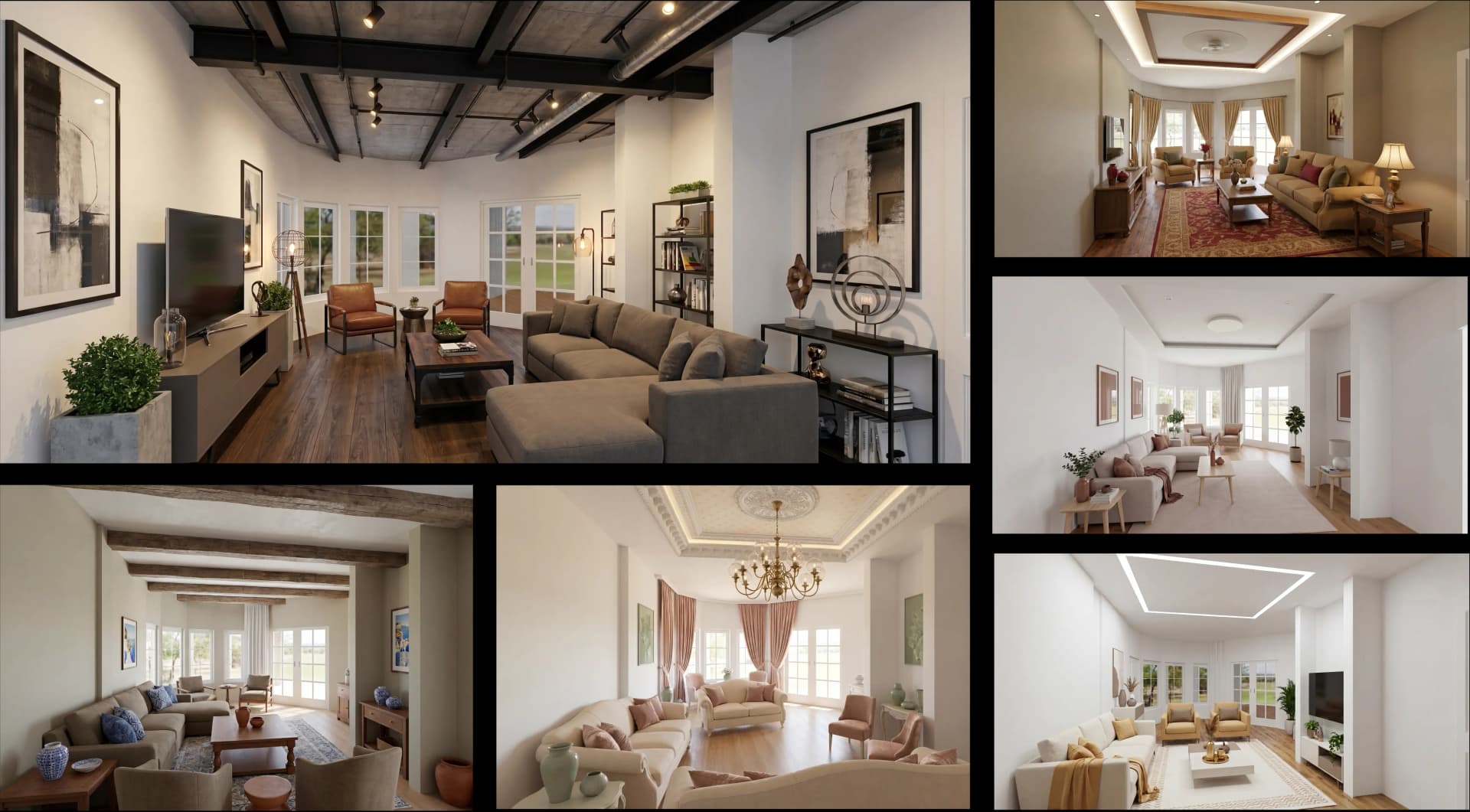
Foursite already converts 2D floor plans and architectural blueprints into photorealistic interior design renders in minutes. Remodroom already lets a designer or homeowner upload a photo of an existing room and receive a photorealistic AI redesign, with specific changes to furniture, flooring, walls, and lighting, in the time it used to take to open a render queue. These are the existing tools. What VirtualSpaces is building now suggests they are, in some ways, the opening chapter.
Here is what is coming, what each feature solves, and what the combination signals for practitioners and for the platforms and construction firms working with residential space at volume.
White Modeling + AI Furnishing: From Spatial Intent to High-Fidelity Design in One Session
The gap between where a designer knows the furniture should go and the photorealistic render that shows it has always been where residential design workflows slow down. Getting spatial intent into a visual output has historically required a modeling tool, an outsourced studio, or both.
White Modeling, coming to Foursite, removes that gap. Designers place 3D furniture placeholders - which the team calls base designs - directly in the floor plan in real time. The AI then generates high-fidelity interior design visuals based on those specific placements, with user-defined controls for iterating on style, finish, and arrangement.
The result is that the 2D to 3D visualization no longer happens after the design is finished. It happens as the design is being made. The brief and the photorealistic render are the same session. For a practice running multiple residential projects simultaneously, that compression of the creative loop has a direct commercial value.
A Studio-Grade Graphics Pipeline That Runs in a Browser
The ceiling on browser-based design tools has always been render quality. The working assumption in most practices has been that anything photorealistic enough for a developer presentation or a pre-sale campaign needs dedicated hardware or a cloud render farm.
The graphics pipeline being implemented in Foursite changes that assumption directly. Screen Space Global Illumination (SSGI) and Screen Space Reflection (SSR), both standard in high-end gaming and architectural visualization software, are being integrated into the browser-native workflow. Automatic artificial lighting systems ensure every generated interior reads as naturally lit, without manual lighting setup.
For materials and surfaces, physically based rendering (PBR) is being integrated across flooring, wood grain, wall finishes, and soft furnishings. This tactile realism is what currently separates studio-grade interior design photoreal renders from everything else. It will now run in a standard web browser, without a GPU hardware requirement, a specialized workstation, or a software download.
For AI 3D visualization at scale, the implication is significant. A construction firm like Skanska, operating across European residential markets, or Vinci managing multi-unit residential developments, can generate studio-quality visualization of unbuilt interiors directly from a browser, at any project stage, with no hardware dependencies. The geographic and infrastructure constraints on professional visualization work essentially disappear.
First-Person Walkthroughs and Orbital Views: Technical and Immersive, In the Same Session
A floor plan communicates dimensions. A photorealistic render communicates appearance. Neither communicates what it feels like to be inside a space.
Multi-perspective visualization addresses this directly in the upcoming Foursite release. Users can toggle between axonometric orbital view, suited to architectural review and technical planning, and first-person immersive walkthrough mode, suited to experiencing the finished space at eye level. Camera height and field of view are both user-adjustable in the same session.
That adjustability matters more than it might seem at first. A 1.75-metre eye level reading a kitchen communicates something different from a 1.5-metre reading of the same space. Buyers evaluate residential properties through physical experience, not through plan drawings. Any visualization tool serving the pre-sale stage of a residential project needs to account for that.
Property platforms like Rightmove, Zillow, and 99acres are already investing in more immersive listing experiences. Browser-native first-person visualization, generated directly from a floor plan to 3D pipeline and delivered through a shareable link, is the logical next step in how those platforms present unbuilt and renovated residential properties to prospective buyers.
A Floor Plan Editor That Handles the Structural Details
Parametric modeling has existed in dedicated architectural software for years. It has not been available at this level of real-time flexibility inside a browser-based floor plan visualization tool.
The overhauled floorplan editor coming to Foursite supports instantaneous structural changes: moving walls, reconfiguring layouts, and adjusting openings with immediate visual feedback. The addition of arc wall support is specifically notable. Curved architectural features are increasingly common in contemporary residential construction and high-end renovation work. Until now, modeling them has required exporting to a separate tool. That hand-off is being removed.
New structural precision controls are also being added: floor-to-ceiling height, door lintel height, and window sill height are all becoming user-adjustable. These are the details that separate a render that reads as spatially correct from one that feels slightly off - in ways a client often cannot name but will always notice.
Spatial Recognition and Auto-Scale: The Calibration Step That No Longer Needs a Human
One of the persistent friction points in any blueprint to 3D or floor plan visualization workflow is the translation between the spatial data in the source drawing and the 3D environment. Scales need to be interpreted, room dimensions confirmed, and imported models resized to match real-world proportions.
Enhanced spatial recognition in Foursite automates this. The system now calculates and extracts room dimensions automatically from the uploaded plan or blueprint. The new auto-scale feature then snaps every imported 3D model to real-world units based on that spatial data. Furniture that is too large for the room does not get placed. Doors that do not fit the opening do not appear.
For a single designer, this saves a calibration step. For a firm managing hundreds of residential units across multiple floor plate configurations - a large developer, a construction company, or a property platform listing new-build homes at scale - automated spatial translation is a volume capability. Feeding architectural drawings into a system and receiving correctly proportioned, fully scaled 3D environments automatically, across every unit type and configuration, is what makes the workflow viable at that scale.
Hot-Swap Materials and Fixtures: Iteration That Used to Cost a Render Cycle
A client approves a design direction, then asks what it would look like with a different flooring material. A developer wants to see the same unit with two door configurations for different buyer segments. In the current workflow, this means a new render cycle or a return to a modeling tool.
The asset and material customization features coming to Foursite address this directly. Doors, windows, and fixture models can be hot-swapped in real time. PBR material updates - changing flooring, wall finishes, or surface textures - produce immediate visual feedback including updated lighting response and surface reflections. All of this happens in the same browser window, in the same session.
This is the same logic that drives Remodroom for room photo redesigns: a photorealistic, immediate response to a design change, without a new render queue. The difference is that this capability is now coming to the structural and floor plan level inside Foursite. The interior design 3D visualization process becomes genuinely iterative rather than iterative in theory.
Real-Time Shareable Links: The Design File That Anyone Can Open
The last feature on the roadmap is, in some ways, the one with the broadest commercial reach.
Foursite is shipping instant shareable links for any 3D visualization session. No login is required for the viewer. The link reflects the current state of the design at the moment it is opened. As the designer continues to iterate, the shared view updates in real time.
For an architect working with a developer who is not on-site, this replaces the version-controlled email chain of render attachments. For a residential developer presenting pre-sale units to buyers who cannot visit the site, the link is the sales tool. It replaces the printed brochure, the static PDF, and the need for a physical show home at the initial qualification stage.
For property platforms like Rightmove and Zillow, which already display photorealistic listing images as standard, real-time shareable virtual staging and AI virtual staging links represent the next evolution in how new-build and renovation listings are presented to buyers. The shareable link is not a convenience feature. For the platforms that work at listing volume, it is sales infrastructure.
Remodroom: The Other Starting Point for Residential Design
Remodroom approaches residential visualization from the existing space rather than the blank floor plan. Upload a photograph of a room, select a design direction - specifying style, furniture, flooring, walls, or lighting - and receive a photorealistic redesigned image in minutes.
For a homeowner planning a renovation, this collapses the gap between imagining a change and seeing what it will look like. For an interior designer presenting options to a renovation client, it replaces the reference image with a photorealistic render of the actual room, with the actual proportions, and the actual proposed changes applied.
The AI interior decor and visualization layer inside Remodroom is built for exactly that moment: when a client knows they want to change something but needs to see it clearly before committing. Together, Foursite and Remodroom cover both entry points of residential design - the unbuilt space beginning from a floor plan or blueprint, and the existing space beginning from a photograph. Every residential project starts as one or the other.
What the Roadmap Adds Up To
The features described above are not isolated improvements. They describe a coherent direction.
White modeling replaces the standalone furniture layout step. The parametric editor removes the architectural drafting hand-off. Real-time sharing replaces the render delivery pipeline. SSGI and SSR replace the argument for outsourced render studios. Auto-scale spatial recognition eliminates the manual calibration from every convert blueprint to 3D or convert floor plan to 3D workflow. First-person walkthroughs replace the need for a separate virtual tour product.
For a design practice currently managing four or five different tools to move from blueprint to client presentation, this consolidation has compounding value. Each feature saves time. The integrated stack eliminates whole categories of work. And for the platforms and firms that operate at volume - property aggregators, construction companies, developers managing hundreds of unit types - the same platform that handles a single designer's workflow scales to handle their entire inventory. That is what AI interior design infrastructure looks like when it is built at the right level.
The tools available to residential designers, developers, and architects today are already different from what was standard two years ago. The tools in the next release cycle will be different again. The gap between a 2D floor plan or a set of blueprints and a buyer who is ready to make a decision is closing. VirtualSpaces is what is closing it.
The capability being built today is not static. Every feature above is in active development. The version of this platform that exists at the end of this build cycle will look different from the one that exists today. That is, precisely, the point.
Recommended for you

August 19, 2026
The End of the Model Home? 3D Changes the Math | VirtualSpaces
HHemanth Velury
CEO & Co-Founder
August 17, 2026
Designing Spaces That Actually Get Built | VirtualSpaces
HHemanth Velury
CEO & Co-Founder
August 12, 2026
Designing Homes for the Stuff People Actually Own | VirtualSpaces
HHemanth Velury
CEO & Co-Founder
August 07, 2026
Floor Plan to Bill of Materials: The 3D Model as Data | VirtualSpaces
HHemanth Velury
CEO & Co-Founder.png&w=1080&q=75)
August 05, 2026
Designing Homes for How People Actually Live | VirtualSpaces
HHemanth Velury
CEO & Co-Founder
August 03, 2026
Honest by Design: Trust in AI Real Estate Imagery | VirtualSpaces
HHemanth Velury
CEO & Co-Founder
July 29, 2026
Kitchen and Bath: The Two Rooms That Decide Resale | VirtualSpaces
HHemanth Velury
CEO & Co-Founder
July 27, 2026
Why Empty Rooms Don't Sell: Virtual Staging | VirtualSpaces
HHemanth Velury
CEO & Co-Founder
July 24, 2026
The Quiet Sustainability Win of Deciding in 3D | VirtualSpaces
HHemanth Velury
CEO & Co-Founder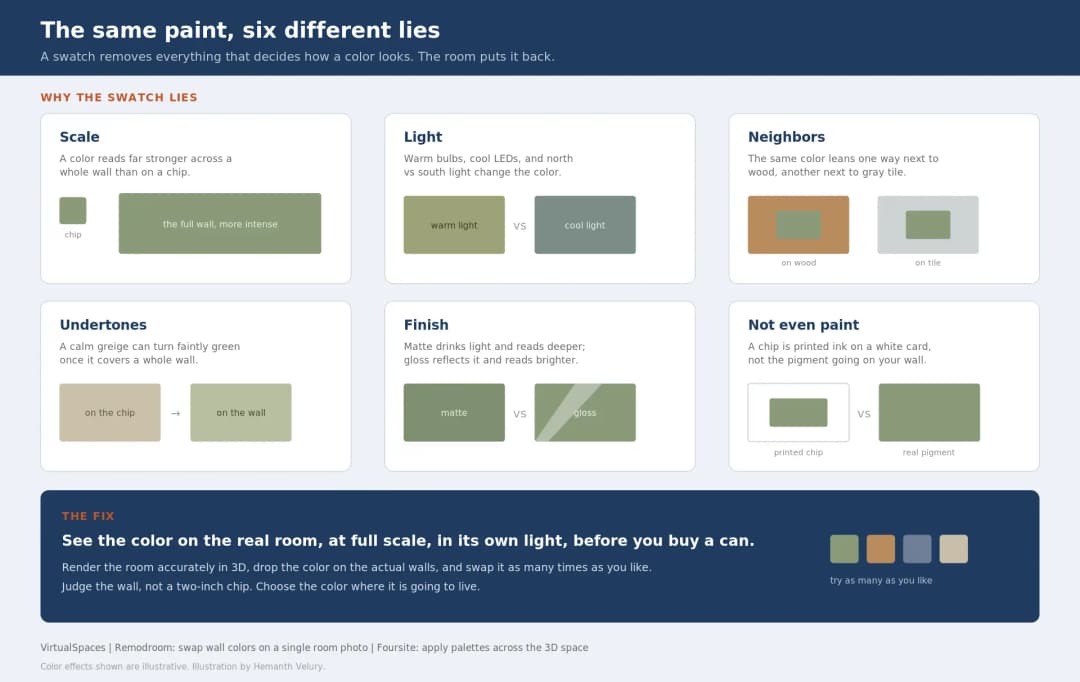
July 22, 2026
Why Paint Swatches Lie: Test Color in 3D First | VirtualSpaces
HHemanth Velury
CEO & Co-Founder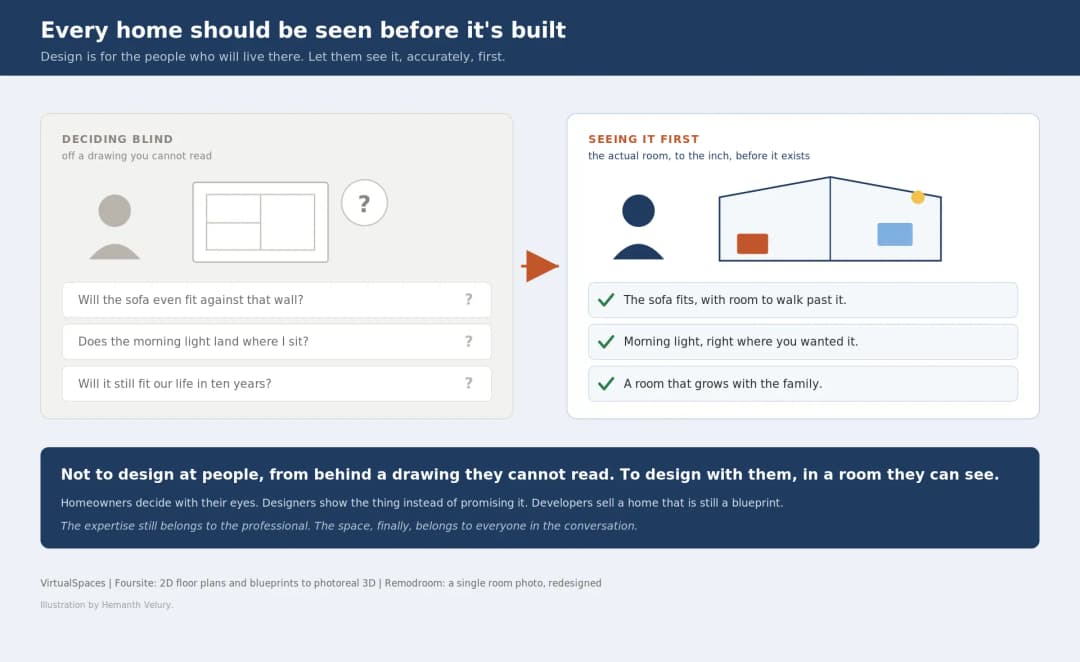
July 20, 2026
Why Every Home Should Be Seen Before It's Built | VirtualSpaces
HHemanth Velury
CEO & Co-Founder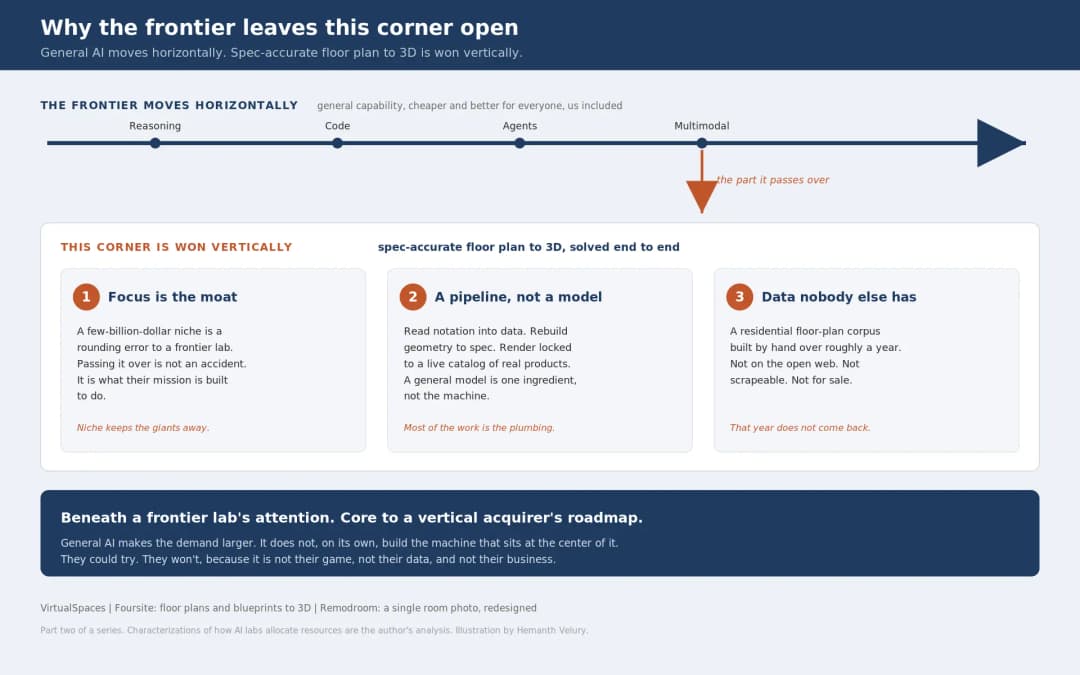
July 17, 2026
Why Big AI Labs Won't Build Floor Plan to 3D | VirtualSpaces
HHemanth Velury
CEO & Co-Founder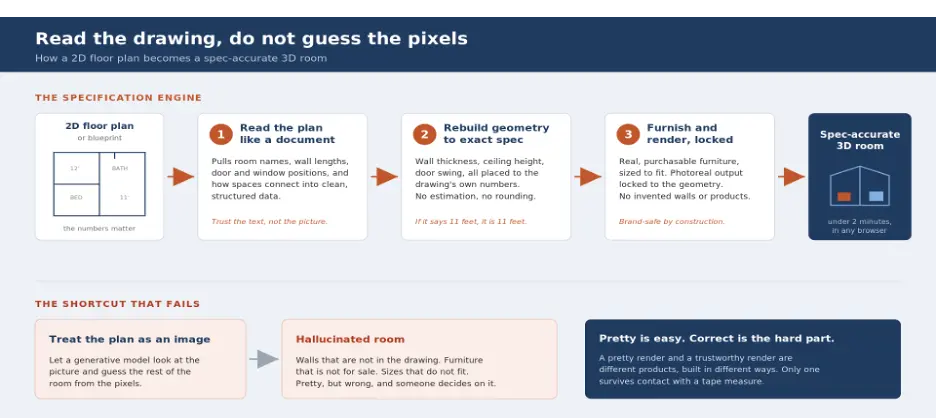
July 15, 2026
How We Solve Floor Plan to 3D, Accurately | VirtualSpaces
HHemanth Velury
CEO & Co-Founder
July 13, 2026
Designing Homes That Age With the People in Them | VirtualSpaces
HHemanth Velury
CEO & Co-Founder
July 10, 2026
Designing Spaces for How Light Actually Moves | VirtualSpaces
HHemanth Velury
CEO & Co-Founder
July 08, 2026
Designing Homes for Every Life Stage in 3D | VirtualSpaces
HHemanth Velury
CEO & Co-Founder
July 06, 2026
Build an Interior Design Portfolio Without Clients | VirtualSpaces
HHemanth Velury
CEO & Co-Founder
June 26, 2026
AI Interior Design: Full 3D Workflow in One Platform | VirtualSpaces
HHemanth Velury
CEO & Co-Founder
June 24, 2026
Scope Creep in Interior Design: How AI Visualization Fixes It | VirtualSpaces
HHemanth Velury
CEO & Co-Founder
June 22, 2026
What Buyers See on a Floor Plan: Your Biggest Sales Problem | VirtualSpaces
HHemanth Velury
CEO & Co-Founder
June 19, 2026
Small Design Studios vs Big Firms: The AI Advantage | VirtualSpaces
HHemanth Velury
CEO & Co-Founder
June 17, 2026
After the Mood Board: AI Interior Visualization | VirtualSpaces
HHemanth Velury
CEO & Co-Founder
June 15, 2026
Foursite Pro Editor: Full Floor Plan Control for Designers | VirtualSpaces
HHemanth Velury
CEO & Co-Founder
June 12, 2026
AI Interior Design: Style Any Room in Seconds with Foursite | VirtualSpaces
HHemanth Velury
CEO & Co-Founder
June 10, 2026
Foursite: Floor Plan to 3D Walkthrough in Minutes | VirtualSpaces
HHemanth Velury
CEO & Co-Founder
June 08, 2026
Win More Pitches With AI Renders Before the Meeting | VirtualSpaces
HHemanth Velury
CEO & Co-Founder
June 05, 2026
From Floor Plan to Finished Room: What AI Now Makes Possible | VirtualSpaces
HHemanth Velury
CEO & Co-Founder
June 03, 2026
The Interior Design Brief Is Broken. AI Fixes It | VirtualSpaces
HHemanth Velury
CEO & Co-Founder
June 01, 2026
Pre-Construction Home Sales: AI Interior Visualization Guide | VirtualSpaces
HHemanth Velury
CEO & Co-Founder
May 30, 2026
Interior Design Principles: Applied with AI | VirtualSpaces
HHemanth Velury
CEO & Co-Founder
May 28, 2026
Designing Spaces for People, Not Blueprints | VirtualSpaces
HHemanth Velury
CEO & Co-Founder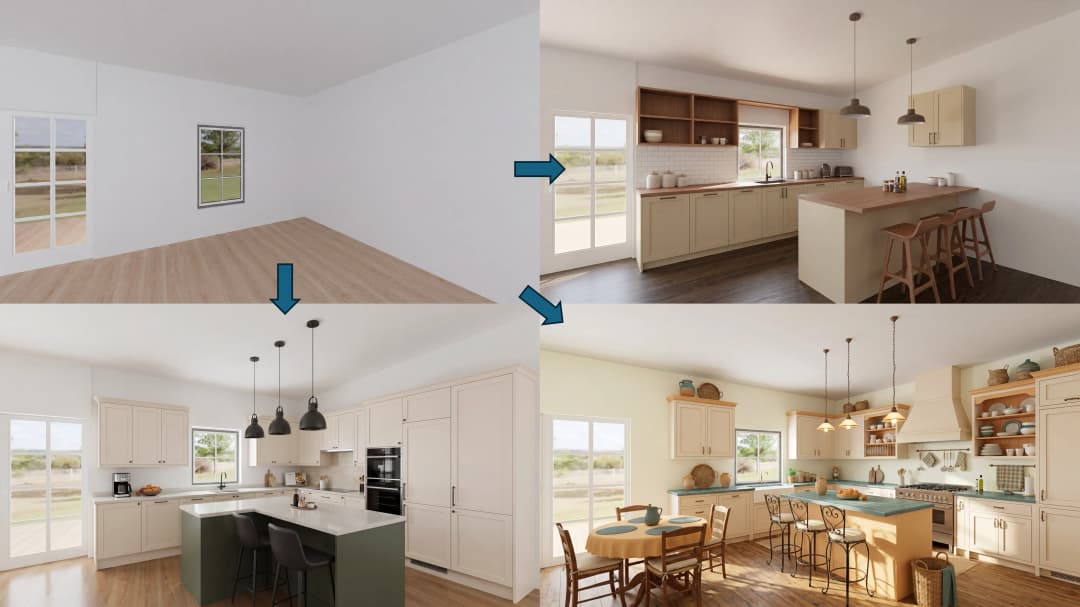
May 26, 2026
The Future of Interior Design: Closing the Visualization Gap with Foursite and Remodroom | VirtualSpaces
HHemanth Velury
CEO & Co-Founder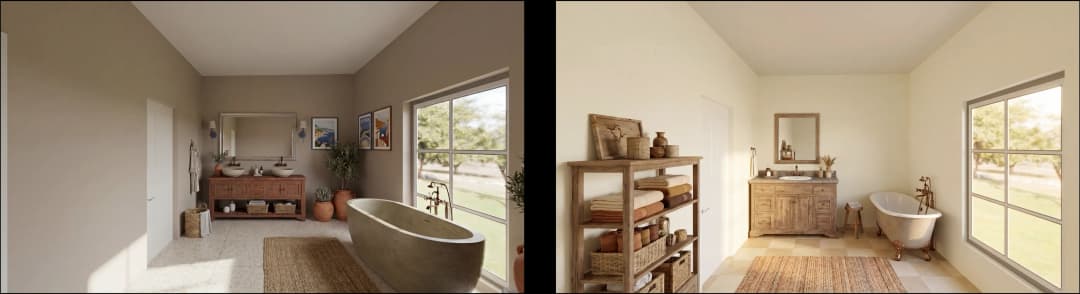
May 18, 2026
How AI Visualization Upgrades Property Data Platforms | VirtualSpaces
HHemanth Velury
CEO & Co-Founder
May 14, 2026
How AI-First Insurers Can Use 3D Property Data to Transform Home Claims | VirtualSpaces
HHemanth Velury
CEO & Co-FounderMay 12, 2026
Why Photoreal 3D Renders Are Replacing Mood Boards | Interior Design Client Presentations | VirtualSpaces
HHemanth Velury
CEO & Co-Founder
May 08, 2026
From 2D Floor Plans To Living Worlds: The Spec‑Accurate 3D Engine | VirtualSpaces
HHemanth Velury
CEO & Co-Founder
May 06, 2026
Why Furniture Brands Need AI 3D Visualization Now | VirtualSpaces
HHemanth Velury
CEO & Co-Founder
May 4, 2026
How Property Portals Can Turn 2D Floor Plans into 3D Design Decisions | VirtualSpaces
HHemanth Velury
CEO & Co-Founder
April 29, 2026
The Home-Fit Test: Why Square Footage Misleads | VirtualSpaces
HHemanth Velury
CEO & Co-Founder
April 27, 2026
Designing Homes That Sell: 3D Visualization ROI Data | VirtualSpaces
HHemanth Velury
CEO & Co-Founder
April 22, 2026
AI in Architecture: Closing the 85% Exposure Gap | VirtualSpaces
HHemanth Velury
CEO & Co-Founder
April 20, 2026
Interior Design Pricing in 2026: From Hourly to Value-Based Fees | VirtualSpaces
HHemanth Velury
CEO & Co-FounderApril 17, 2026
How Foursite and Remodroom Help Designers Win Clients | VirtualSpaces
HHemanth Velury
CEO & Co-Founder
April 15, 2026
Designing Spaces for People: Remodroom + Foursite AI Guide | VirtualSpaces
HHemanth Velury
CEO & Co-Founder
April 13, 2026
Designing for the Way People Actually Live: How AI 3D Is Finally Closing the Gap Between Floor Plan and Reality
HHemanth Velury
CEO & Co-Founder
April 11, 2026
Design in Real Time: AI Renders in Your First Client Meeting
HHemanth Velury
CEO & Co-Founder
April 06, 2026
Why Real Estate Photography Is No Longer Enough: The Shift to Spatial-First Listings
HHemanth Velury
CEO & Co-Founder
April 03, 2026
Property Management's Hidden Weapon: AI 3D Floor Plans That Cut Vacancy Time and Raise Tenant Quality
HHemanth Velury
CEO & Co-Founder
April 01, 2026
Off-Plan and Oversubscribed: How AI 3D Visualization Is Transforming Real Estate Pre-Sales
HHemanth Velury
CEO & Co-Founder
March 30, 2026
Why Foursite Beats Generic AI Tools for Interior Design 3D Visualization
HHemanth Velury
CEO & Co-Founder
March 27, 2026
7 Tenets of Interior Design: How AI Accelerates Harmony in Residential Spaces
HHemanth Velury
CEO & Co-Founder
March 25, 2026
What Is the 3-5-7 Rule in Interior Design? Foursite's AI Guide for Residential Spaces
HHemanth Velury
CEO & Co-Founder
March 23, 2026
What Is the 70/30 Rule in Interior Design? Foursite's AI Guide for Residential Spaces
HHemanth Velury
CEO & Co-Founder
March 20, 2026
How AI 3D Visualization Is Rewriting Residential Interior Design Workflows
HHemanth Velury
CEO & Co-Founder
March 18, 2026
Beyond Marketing: How 3D Floorplans Transform FM, Retrofit Planning & ESG Operations
HHemanth Velury
CEO & Co-Founder
March 16, 2026
Why AI Companies Use Token Payments (And Why VirtualSpaces Is Returning To Fiat)
HHemanth Velury
CEO & Co-Founder
March 13, 2026
Floorplan‑Native Digital Twins: Beyond BIM for Consumer‑Ready Real Estate Experiences
HHemanth Velury
CEO & Co-Founder
March 11, 2026
The Foursite Platform Thesis: Why Floor Plans, Not Photos, Are the Next Property Software Primitive
HHemanth Velury
CEO & Co-Founder
March 09, 2026
Design Systems for Space: Building Reusable 3D Component Libraries on Top of AI Floorplan‑to‑3D Engines
HHemanth Velury
CEO & Co-Founder
March 06, 2026
How to Standardize Design Quality Across Global Projects Using AI Floorplan-to-3D Tools
HHemanth Velury
CEO & Co-Founder
March 04, 2026
From CAD-First to AI-First: Reskilling Your Team for AI-Native Design Workflows
HHemanth Velury
CEO & Co-Founder
March 02, 2026
Algorithmic Ergonomics Meets Photorealistic 3D: Designing Human-Centered Smart Homes with Foursite in 2026
HHemanth Velury
CEO & Co-Founder
February 27, 2026
The Ethics of AI in Interior Design: Ownership, Originality, and Client Transparency
HHemanth Velury
CEO & Co-Founder
February 25, 2026
Designing with Empathy: Using AI 3D Visualization to Improve Client Communication and Emotional Clarity
HHemanth Velury
CEO & Co-Founder
February 23, 2026
From Tool to Infrastructure: AI Floorplan-to-3D and the Next Wave of PropTech
HHemanth Velury
CEO & Co-Founder
February 20, 2026
AI Interior Design for Holiday Homes: Turn Spare Flats into High-Demand Short-Stay Rentals with 3D Visuals
HHemanth Velury
CEO & Co-Founder
February 18, 2026
The Pre‑Purchase Power Play: How Savvy Home Buyers Use 3D Floor Plan Visualization to Negotiate Better Deals
HHemanth Velury
CEO & Co-FounderFebruary 16, 2026
AI Interior Design for Non‑Designers: How Homeowners Can Brief Like Pros
HHemanth Velury
CEO & Co-Founder
February 13, 2026
Scaling a Design Business Without Hiring a 3D Team: An Owner's Guide
HHemanth Velury
CEO & Co-Founder
February 11, 2026
From Bland to Bold: How to Rescue Builder-Grade Interiors on Any Budget
HHemanth Velury
CEO & Co-Founder
February 6, 2026
The Psychology of Space: How Room Dimensions Influence Interior Design Decisions
HHemanth Velury
CEO & Co-Founder
February 4, 2026
The Future of Interior Design Visualization: How AI Technology is Transforming 2D Concepts Into 3D Reality
HHemanth Velury
CEO & Co-Founder
February 2, 2026
AI Interior Décor: How Artificial Intelligence Generates Design Options from Your Floor Plan
HHemanth Velury
CEO & Co-Founder
January 30, 2026
Photoreal vs. Reality: What Clients Actually Expect from Interior Design Visualization
HHemanth Velury
CEO & Co-Founder
January 28, 2026
The Design Approval Conversation That Changes Everything: Communication Strategy When Using Photorealistic Visualization
HHemanth Velury
CEO & Co-Founder
January 25, 2026
Interior Design as Experience Design: How 3D Visualization Changes Your Professional Identity
HHemanth Velury
CEO & Co-Founder
January 23, 2026
The Professional Gap: How 3D Visualization Changes Interior Design Client Perception
HHemanth Velury
CEO & Co-Founder
January 21, 2026
Why Clients Fire Designers (And How 3D Visualization Could Have Saved the Project)
HHemanth Velury
CEO & Co-Founder
January 16, 2026
Blueprint to Vision: Why Seeing Is Believing in Interior Design
HHemanth Velury
CEO & Co-Founder
January 14, 2026
The Speed of Responsiveness: How AI Visualization Tools Make You Look Like You Care More
HHemanth Velury
CEO & Co-Founder
January 12, 2026
Why Interior Designers and Architects Can't Compete Without AI 3D Visualization Tools
HHemanth Velury
CEO & Co-Founder
January 07, 2026
From "Saved" to "Sold": How Homeowners Are Planning Renovations with AI
HHemanth Velury
CEO & Co-Founder
January 05, 2026
The Interior Designer's Secret Weapon: Speed as Premium Positioning
HHemanth Velury
CEO & Co-Founder
December 31, 2025
Gratitude, Growth & Game-Changing Innovation: VirtualSpaces' 2025 Journey & What's Coming in 2026
HHemanth Velury
CEO & Co-Founder
December 29, 2025
Why Interior Designers Are Switching to AI Floor Plan-to-3D Tools in 2026
HHemanth Velury
CEO & Co-Founder
December 26, 2025
AI Virtual Staging for Real Estate Agents: Sell More Homes Faster with Foursite
HHemanth Velury
CEO & Co-Founder
December 24, 2025
Why Architects Are Switching to AI 2D-to-3D: The SketchUp Alternative
HHemanth Velury
CEO & Co-Founder
December 22, 2025
Cut 3 Weeks from Real Estate Sales Cycle: The ROI of AI 2D to 3D Visualization
HHemanth Velury
CEO & Co-Founder
December 19, 2025
2D Floor Plans Are Dying: Why 3D Visualization & AI Virtual Staging Are the Future
HHemanth Velury
CEO & Co-Founder
December 17, 2025
Virtual Staging vs Physical Staging: How AI Saves Money Per Property
HHemanth Velury
CEO & Co-Founder
December 15, 2025
AI Floor Plan to Image: Revolutionizing Real Estate Marketing for Agents
HHemanth Velury
CEO & Co-Founder
December 12, 2025
Color of the Year 2026: Cloud Dancer | VirtualSpaces AI Interior Design Guide
HHemanth Velury
CEO & Co-Founder
December 10, 2025
AI Floor Plan to 3D: The New Standard for Interior Design Workflows
HHemanth Velury
CEO & Co-Founder
December 08, 2025
How Interior Design Studios Can Operationalize AI 2D-to-3D Workflows (Without Breaking Their Process)
HHemanth Velury
CEO & Co-Founder
December 06, 2025
How to Implement AI Interior Design Workflows in Your Studio
HHemanth Velury
CEO & Co-Founder
December 4, 2025
How Homeowners Can Use AI Interior Design Tools to Plan Renovations with Confidence
HHemanth Velury
CEO & Co-Founder
November 28, 2025
Interior Designers in the Age of AI: From Threat Narrative to Superpower
HHemanth Velury
CEO & Co-Founder
November 21, 2025
Foursite Launch: Embracing 'Release Early, Release Often'
HHemanth Velury
CEO & Co-Founder
November 13, 2025
Foursite by VirtSpaces: Empowering Interior Designers, Architects, and Homeowners
HHemanth Velury
CEO & Co-Founder
November 7, 2025
Reimagining Architectural Education: How AI Floorplan-to-3D Technology Can Transform Design Learning
VVirtualSpaces Research Labs
AI Research Initiative
October 27, 2025
Archisculpt AI: Turning Architectural Drawings into Photorealistic 3D Spaces
AAbhijeet Naik
Co-Founder & CTO
October 13, 2025
Home Makeover: From Floor Plan to Dream Space with AI
HHemanth Velury
CEO & Co-Founder
October 6, 2025
Real-Time Rendering & AI: Revolutionizing Interactive Property Walkthroughs with VirtSpaces
HHemanth Velury
CEO & Co-Founder
September 26, 2025
Foursite - A True AI-Native Experience in Design Visualization
AAbhijeet Naik
CTO & Co-Founder
September 18, 2025
Why PropTech Startups Are Betting on AI Interior Design
HHemanth Velury
CEO & Co-Founder
September 11, 2025
How AI Differs from Traditional 3D Rendering Software
HHemanth Velury
CEO & Co-Founder
September 2, 2025
From Client to Investor: How Nila Spaces and VirtSpaces Are Redefining Proptech with AI
HHemanth Velury
CEO & Co-Founder
August 25, 2025
VirtSpaces From Virtual Reality to AI – Transforming Real Estate Visualization.
HHemanth Velury
CEO & Co-Founder


We help teams collaborate seamlessly and reduce costs. Virtual Spaces offers cutting-edge technology with flexible plans designed to fit modern teams.
Copyright © VirtSpaces Pvt. Ltd. 2025 All Rights Reserved.
CIN: U74999KA2016PTC094921